-
1
When should I choose Seedance 2.5 Flash instead of Seedance 2.5 or Seedance 2.0?
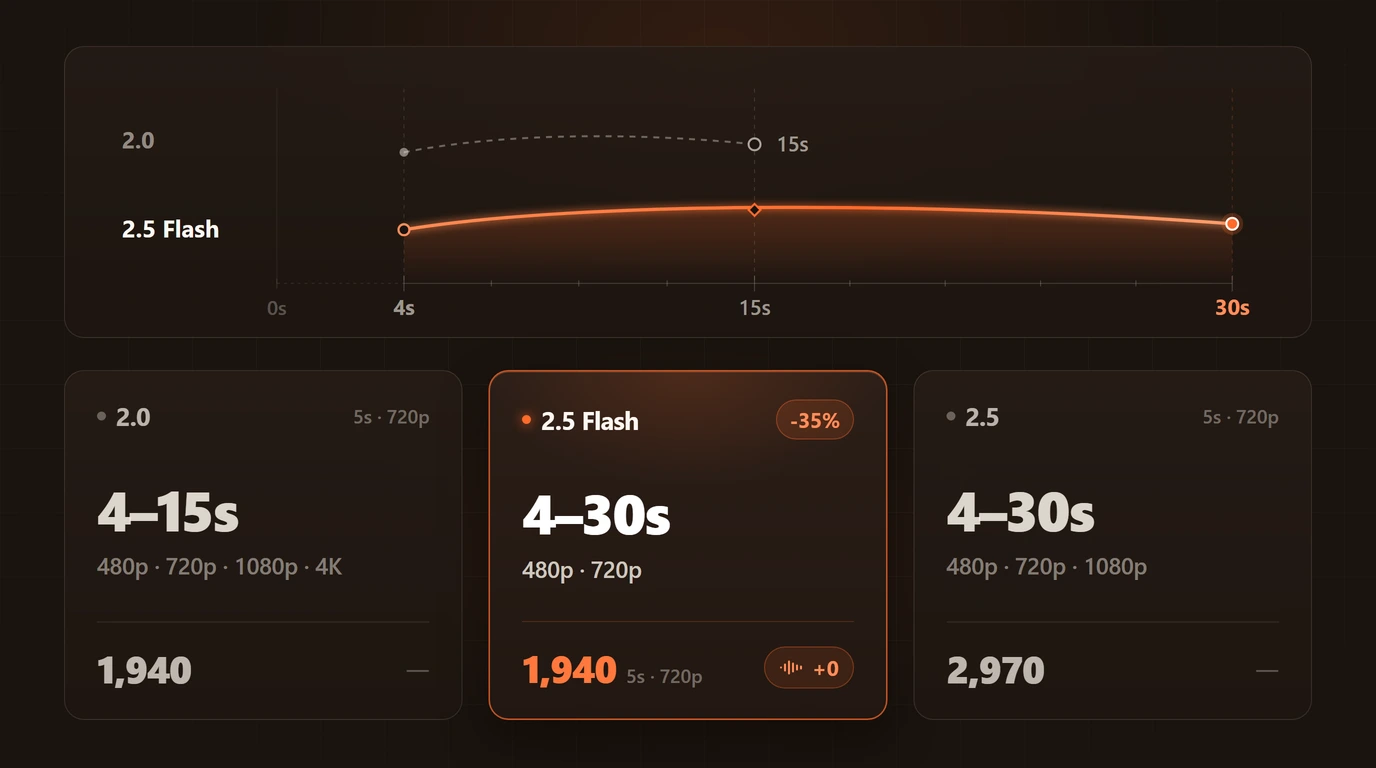
Pick Flash when 480p or 720p fits your delivery target and you want 4–30s multi-shot continuity, free generated sound effects/foley, and ~35% lower credit cost than Seedance 2.5 (1,940 vs 2,970 credits at 5s 720p). Compared with Seedance 2.0 at the exact same 1,940-credit 5s 720p price, Flash doubles max length from 15s to 30s and includes audio. Switch to Seedance 2.5 only if you need 1080p, 11–30 reference files, or clip extension.
-
2
Does turning on Generated audio really cost 0 extra credits?
Yes. Whether Generated audio is off or checked on in the toolbar, the exact Flash quote stays 880 credits (5s 480p) or 1,940 credits (5s 720p). By comparison, Seedance 2.5 / 2.0 / 2.0 Fast are silent-only on SugarCube, and PixVerse V6 adds a per-second surcharge for audio.
-
3
How does the form decide between text-to-video, first/last frames, and multi-image reference?
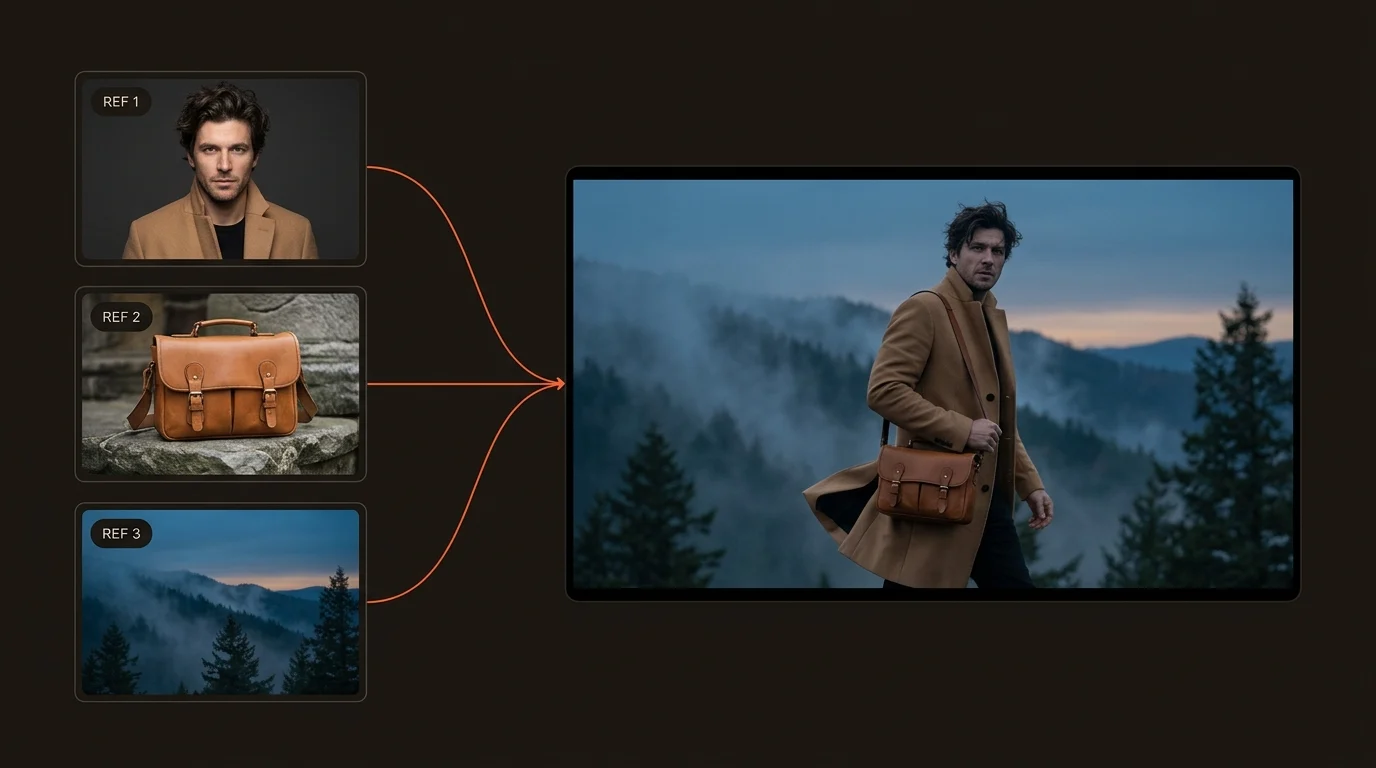
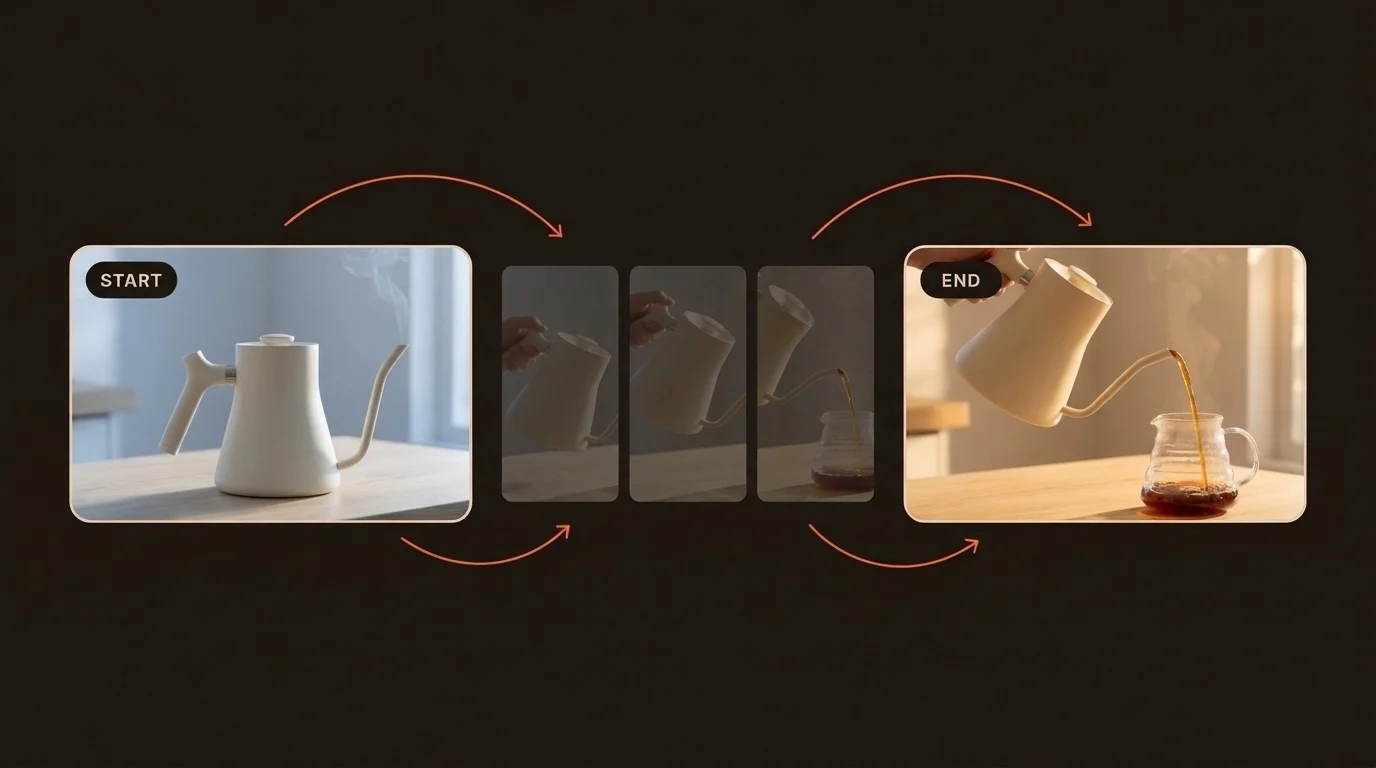
It follows your uploaded image count automatically — no extra mode bar needed. Upload 0 images for text-to-video (1:1 to 21:9), 1 image for a fixed opening frame, 2 images for exact First & Last Frame bridging (inheriting your frames’ aspect ratio), or 3–10 JPG/PNG/WebP images to switch automatically into multi-image reference fusion with custom aspect ratios unlocked.
-
4
What inputs does Flash accept and reject on SugarCube?
Prompts support up to 20,000 characters plus optional JPG, PNG, or WebP images. SugarCube’s Seedance 2.5 Flash workspace does not accept video uploads, audio file uploads, or MOV containers; all finished clips output as downloadable MP4.
-
5
How many credits does duration or resolution change cost?
480p starts at 700 credits (4s), 880 (5s), 1,750 (10s), and 5,240 (30s). 720p costs 1,550 (4s), 1,940 (5s), 3,870 (10s), and 11,600 (30s). Check the live quote inside the submit arrow button before running.
-
6
How should I prompt multi-shot cuts and audio on longer 10–30s clips?
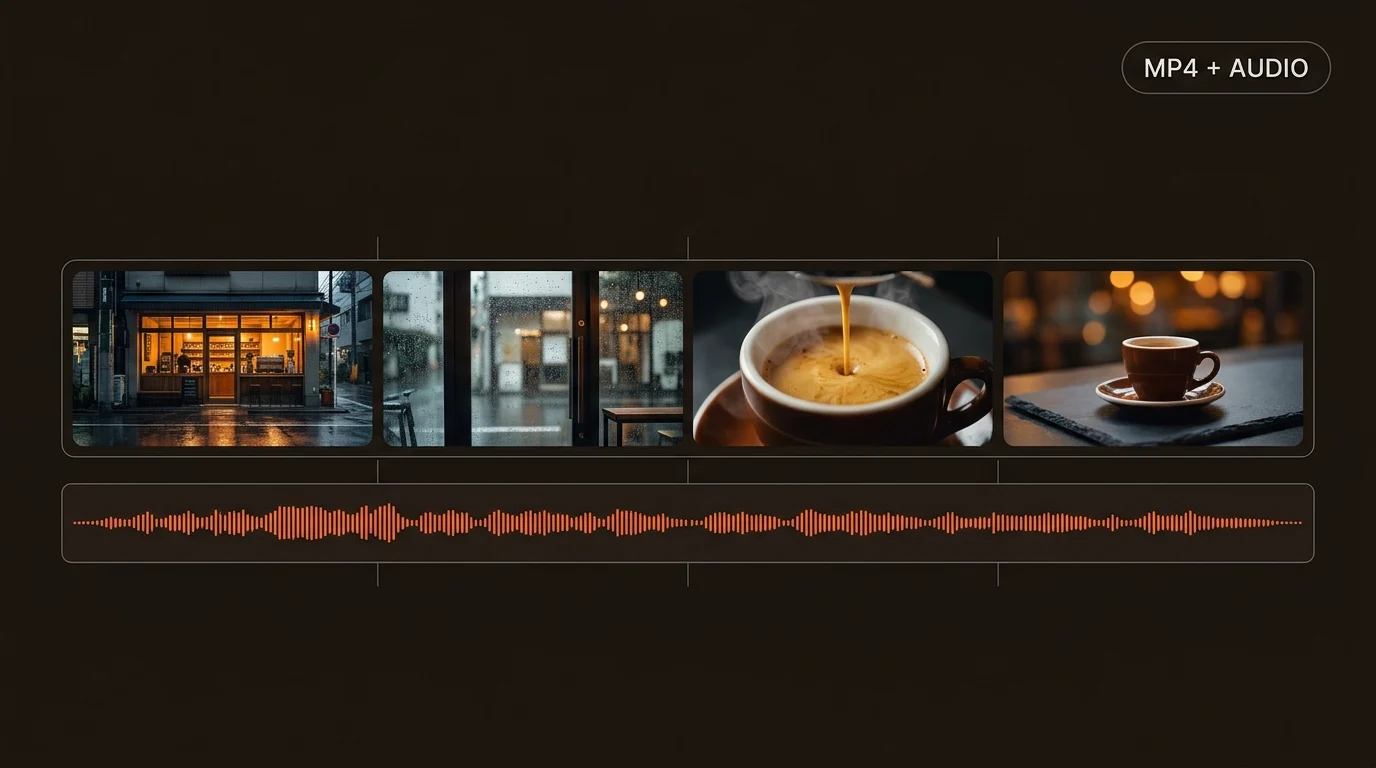
Lay out explicit timestamp ranges in one chronological timeline — for example "0–4s wide rain exterior; 4–9s push through glass door; 9–15s close-up pour with ceramic clink and quiet room murmur." Explicit camera beats and concrete foley cues prevent abrupt mid-clip jumps.
-
7
Can Flash extend an existing video clip or export 1080p / 4K?
No. Flash outputs 480p and 720p new generations only. For clip extension switch to Seedance 2.5, Seedance 2.0 Fast, Kling 4.0, or PixVerse V6; for 1080p switch to Seedance 2.5, Kling 4.0, or PixVerse V6 (or Seedance 2.0 for 4K).
-
8
Where do tasks render, and what happens if a job fails?
Unlike Kling Image 4.0 (which opens Studio), Submit runs right on this page after sign-in and lists progress and downloadable MP4s below the form. Any failed task automatically refunds its credits.