
En esta página
Este artículo está disponible en inglés. Idioma de la interfaz: Español.
Released: November 4, 2026 | OpenAI officially launches ChatGPT Images 2.6 / GPT-Image-2.6
Around 50% faster on average than the previous generation, it brings animated GIFs, transparent PNG markup-guided editing, SVG exports, and a complexity setting that is separate from image quality. This article organizes the specifications and workflows from the official release and explains how to select Images 2.6 directly in SugarCube Studio.
TLDR
ChatGPT Images 2.6, also called GPT-Image-2.6, officially launched on November 4, 2026. It offers two variants: Flare, for speed and improved poster/product layouts, and Sunburst, for higher quality and more consistent editing across rounds. Its core additions are looping GIFs, transparent markup overlays for editing, SVG exports, and complexity=low|medium|high, separate from quality. You do not need to integrate the underlying API yourself—select the model in a creative tool and start creating. SugarCube Studio has integrated it and is ready to use: sugarcube.art/app.
Introduction: what is GPT Image 2.6?
GPT Image 2.6 is the latest generation of OpenAI's image generation and editing model family, publicly named ChatGPT Images 2.6. Creative tools commonly offer two variants: Flare and Sunburst.
According to the official OpenAI announcement of November 4, 2026:
- It has launched globally in official products including ChatGPT and Codex; creative platforms can also integrate the same generation of capabilities.
- Generation is around 50% faster on average; Flare can generate in as little as six seconds at low quality.
- Ideas can become looping GIFs, including brand mascots, reaction images, and storyboard explorations.
- Markup-guided editing makes targeted changes easier, alongside SVG exports and the new
complexityparameter. - The ecosystem produces around 4 billion images per week across ChatGPT, Codex, and related products.
The family progressed from GPT Image 2 around April 2026 to the Flare/Sunburst variants of 2.5 around September 2026, then to 2.6. The older GPT Image 1 was retired on October 23, 2026.
Note: some media published previews describing the model as “unreleased” based on leaked specifications in late October. That status is outdated—the official November 4 release takes precedence.
In SugarCube, you do not need to manage the underlying calls: open Studio, choose GPT Image 2.6 Flare or Sunburst, and create with a prompt, reference images, or markup annotations.
Key takeaways
- Official release: November 4, 2026; available in ChatGPT/Codex and selectable in Studio-style tools.
- Two variants: Flare for speed and layouts; Sunburst for quality and greater consistency across edits.
- Speed: around 50% faster overall; Flare can take as little as six seconds at low quality.
- GIFs: generate looping animations with adjustable frame counts and frame durations.
- Markup editing: targeted edits with a transparent PNG overlay; choose either markup or a traditional binary mask, never both.
- SVG: export vector graphics suitable for logos and icons.
complexity:low|medium|high, defaulting toward high; adjusted separately fromquality.- How to use it: choose Images 2.6 in SugarCube Studio without building an integration yourself.
- Safety: outputs carry C2PA and SynthID; see the system card.
GPT Image 2.6 at a glance
| Specification | Details |
|---|---|
| Developer | OpenAI |
| Product name | ChatGPT Images 2.6 / GPT-Image-2.6 |
| Variants | Flare, Sunburst |
| Type | Text-to-image, image-to-image, local markup/mask editing |
| Predecessors | GPT Image 2 → GPT Image 2.5 (Flare/Sunburst) |
| Main additions | Transparent markup overlays, GIFs, SVGs, complexity, around 50% faster generation |
| Markup | Transparent PNG overlay matching the base image dimensions; cannot be combined with a mask |
| GIF | Adjustable frame count (around 2–64) and milliseconds per frame (around 20–2000) |
| SVG | Vector output during generation; suitable for scalable logos/illustrations |
quality |
Controls rendering detail, such as low → high/max settings |
complexity |
Controls planning depth: low / medium / high |
| Scale | Around 4 billion images per week across the ecosystem |
| Release status | Officially released, November 4, 2026 |
| In SugarCube | Choose Images 2.6 in Studio → Open Studio |
How it works: transparent PNG markup overlays
Traditional local editing often uses a binary mask: white areas can be redrawn, while black areas remain frozen. A mask marks the boundary but says little about what should appear inside it.
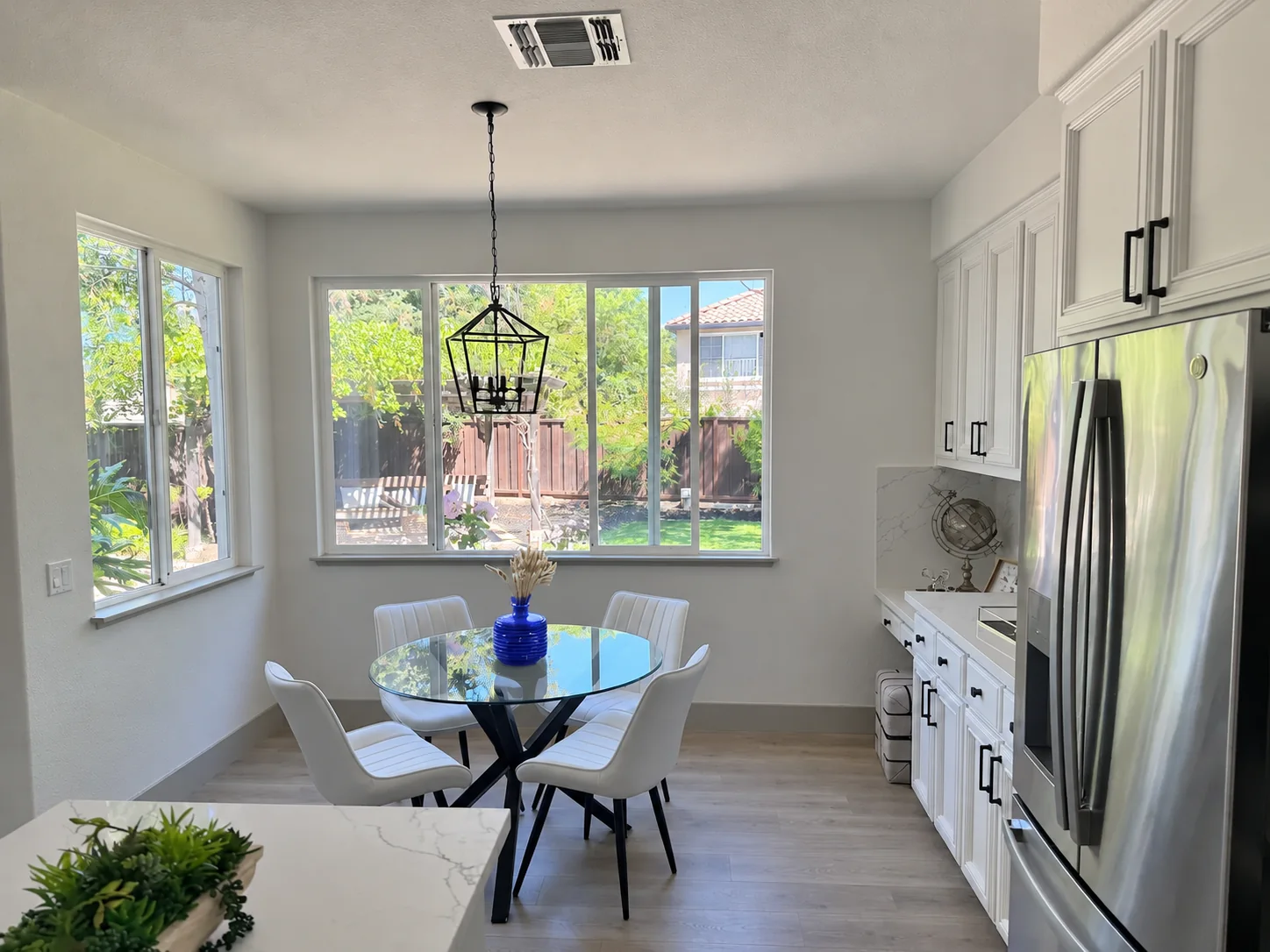
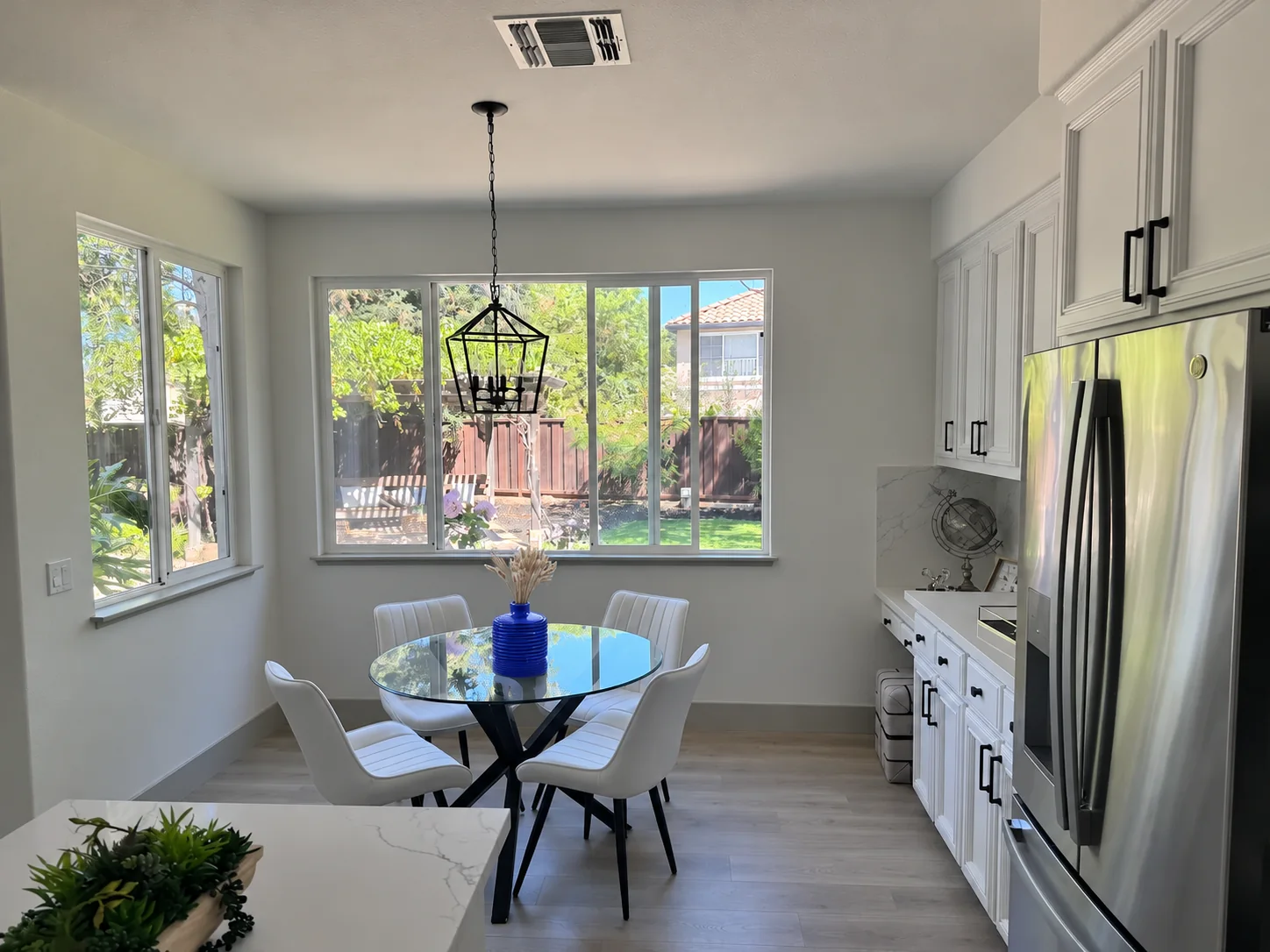
Markup-guided editing uses a transparent overlay instead. On a PNG with the same dimensions as the base image, indicate your intent with colored sketches, circles, arrows, or blocks of color. The model combines the written prompt with the location, geometry, and colors of those annotations. This has already been available in ChatGPT; Images 2.6 brings targeted editing to broader creative workflows, including selection and annotation editing in Studio.
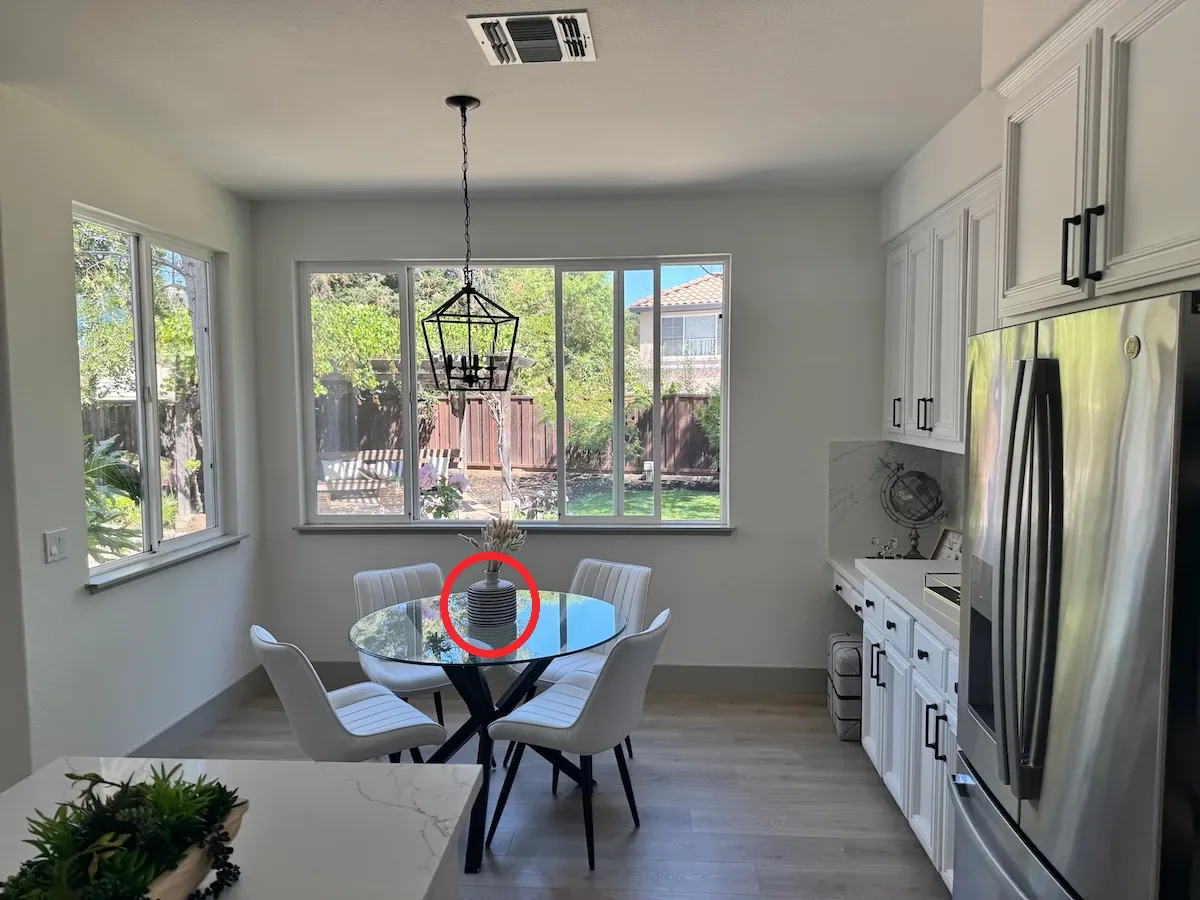
| Flare result | Sunburst result |
|---|---|
 |
 |
Keep these points in mind
- Match dimensions: the overlay and base image must have identical pixel dimensions.
- Include transparency: the PNG needs an alpha channel; a fully opaque overlay is invalid.
- Choose markup or mask: do not combine markup with a traditional mask in one editing request.
- Annotate the primary image: markup mainly guides the first image; additional images usually serve as style or other references.
For most local changes, start with lower complexity for faster iteration, then increase quality as needed. Try medium/high complexity for scenes with many elements or constraints.
What can you make with GPT Image 2.6?
- Art direction through annotations: draw circles or arrows directly on the image instead of describing a location as “around 20% from the top left.”
- Sketch-based composition: outline doors or window frames on a wall, then have the model fill in materials and lighting.
- Palettes and color blocks: use translucent color blocks to specify clothing or packaging colors and reduce color bleeding from text-only changes.
- Direction and movement: use arrows to indicate lighting, object movement, or the composition's center of gravity.
- Animated GIFs: looping brand mascots, social reactions, or previews of storyboard movement.
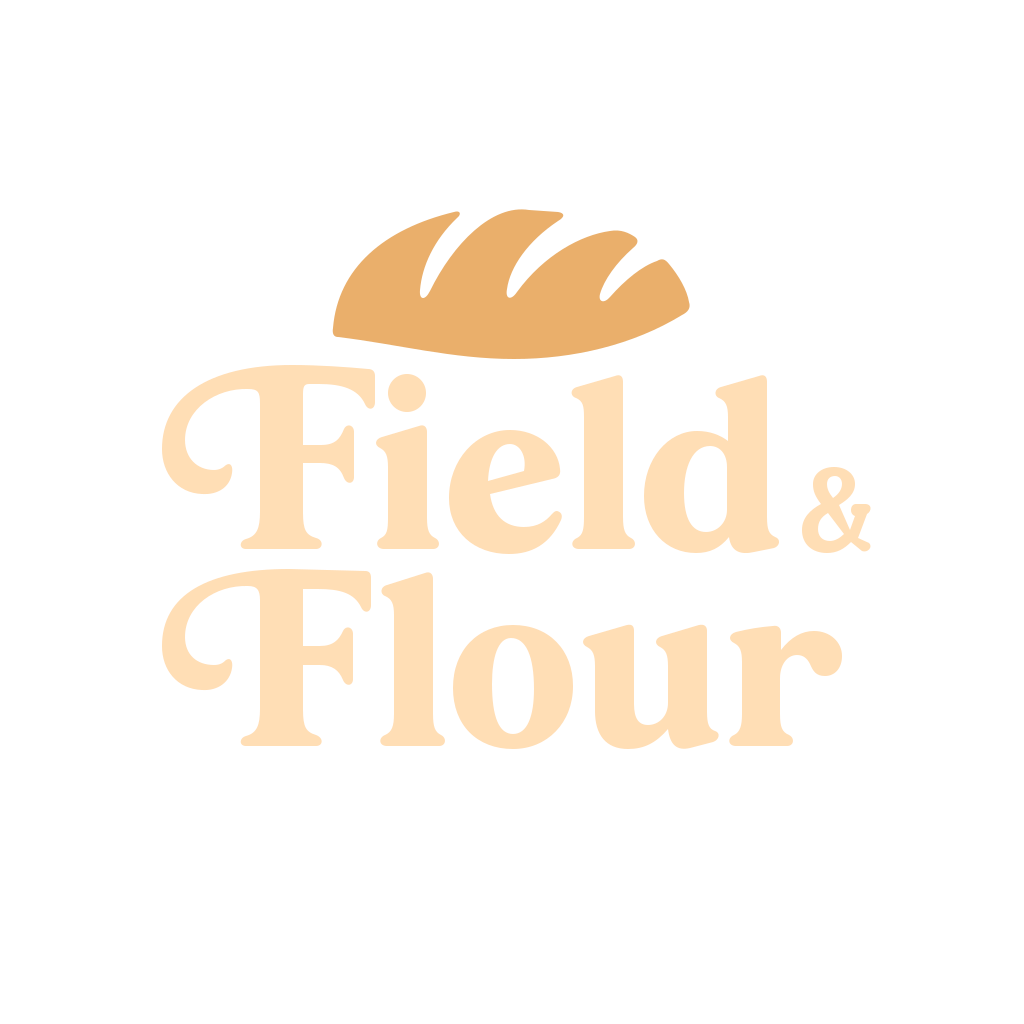
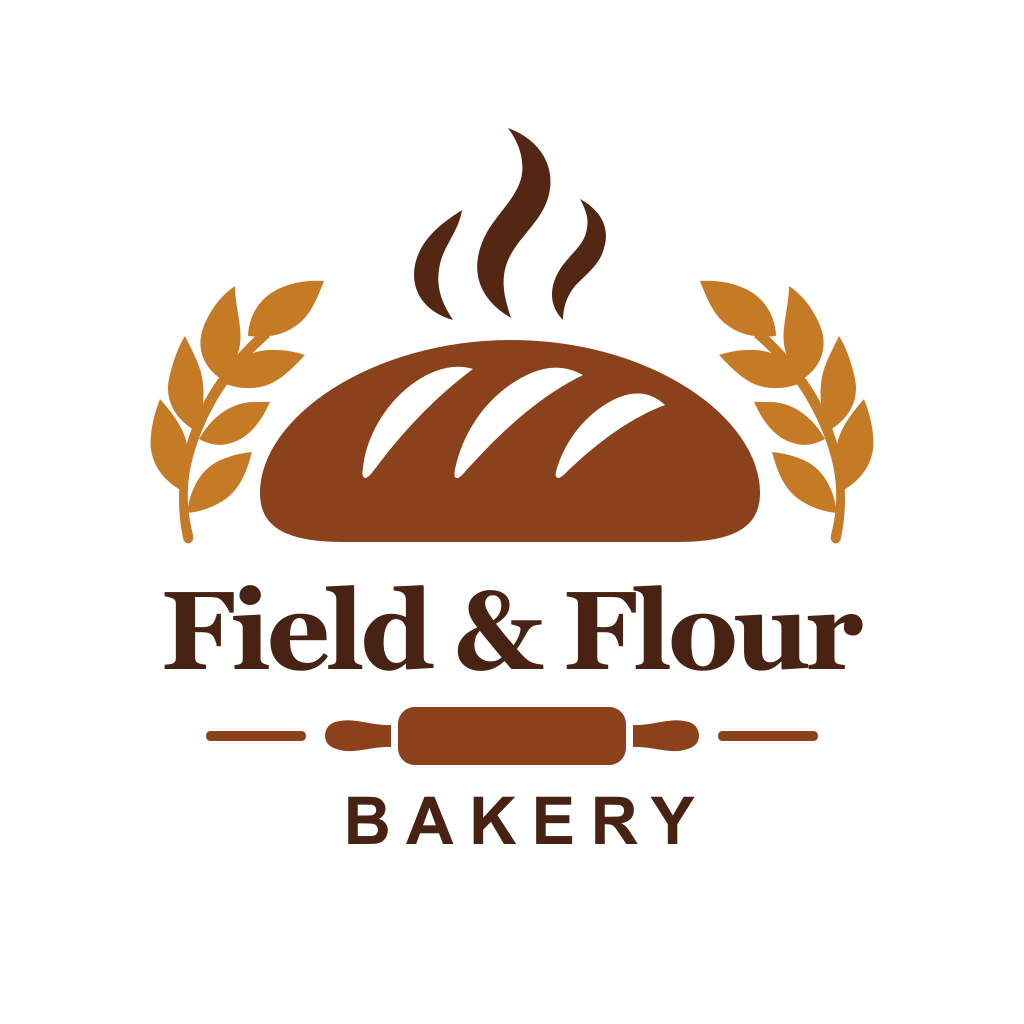
- SVG artwork: scalable logos/icons for subsequent recoloring and layout work.

For a smooth loop, match the subject's starting and ending poses, keep the camera steady, and use an action that can return to its beginning. Examples commonly use around nine frames at 200 ms each, or approximately 1.8 seconds per loop.
| Flare SVG (Field & Flour) | Sunburst SVG (Field & Flour) |
|---|---|
 |
 |
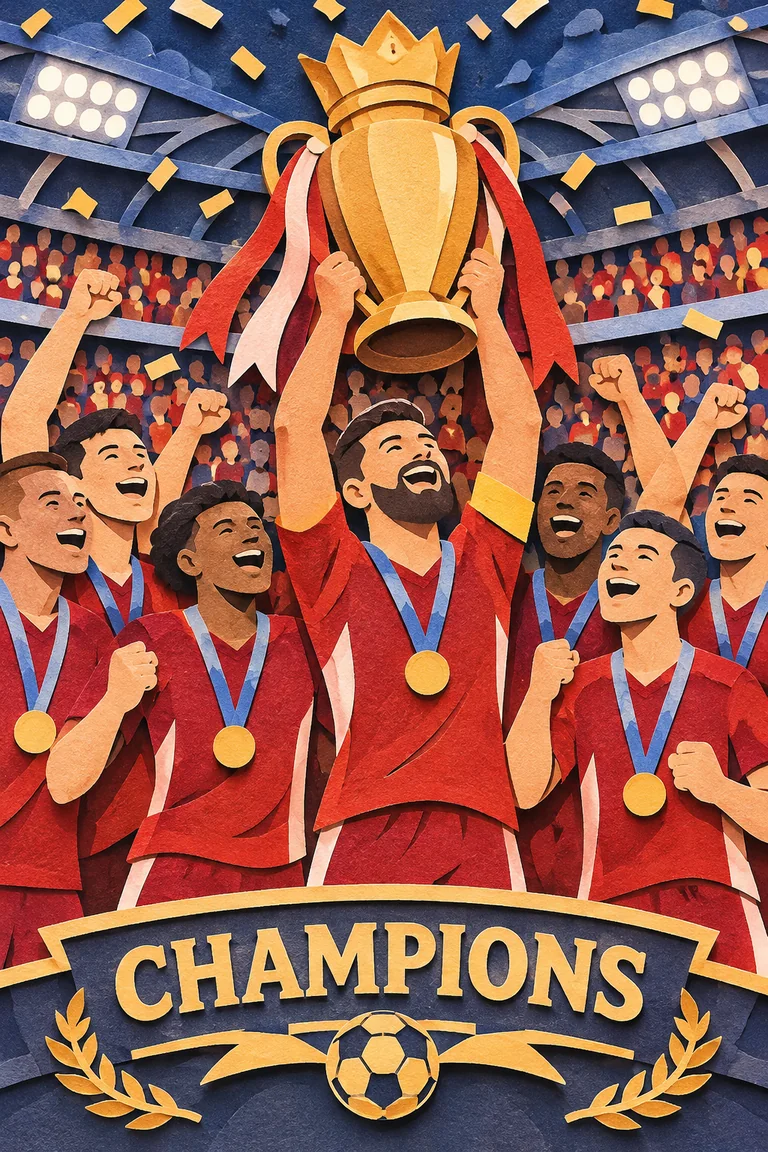
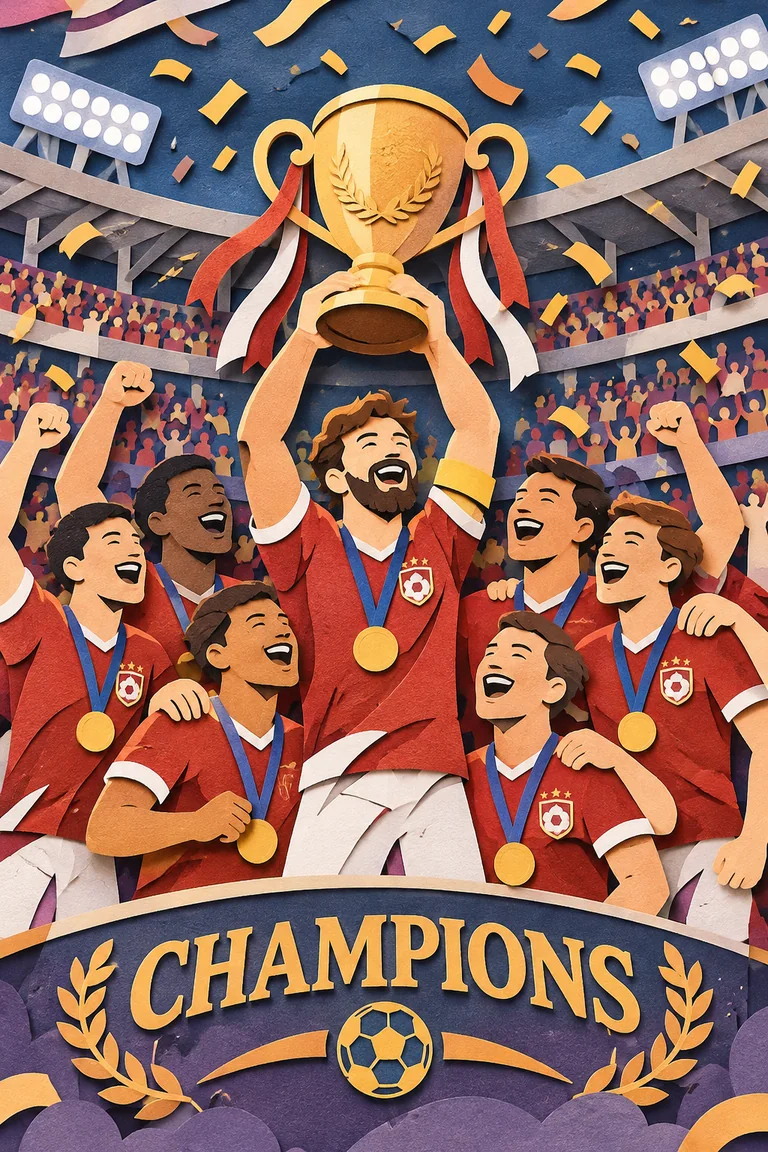
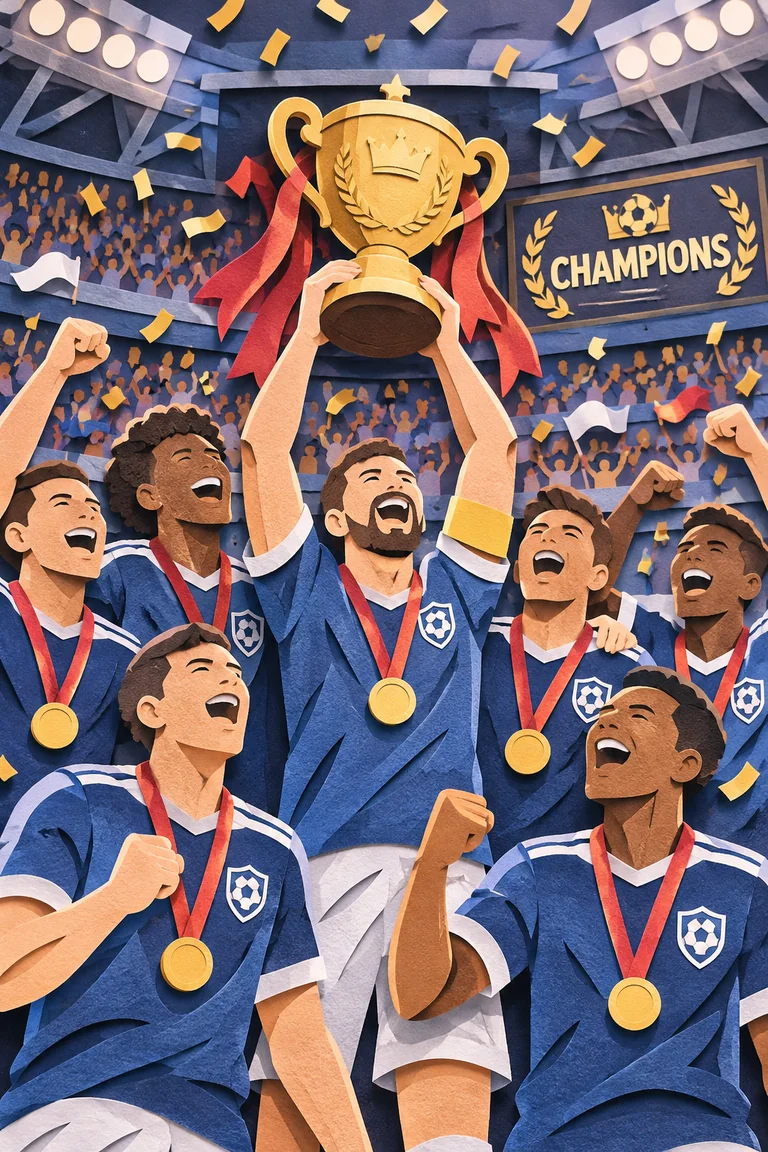
complexity comparison using the same paper-cut theme with Sunburst:
| low | medium | high |
|---|---|---|
 |
 |
 |
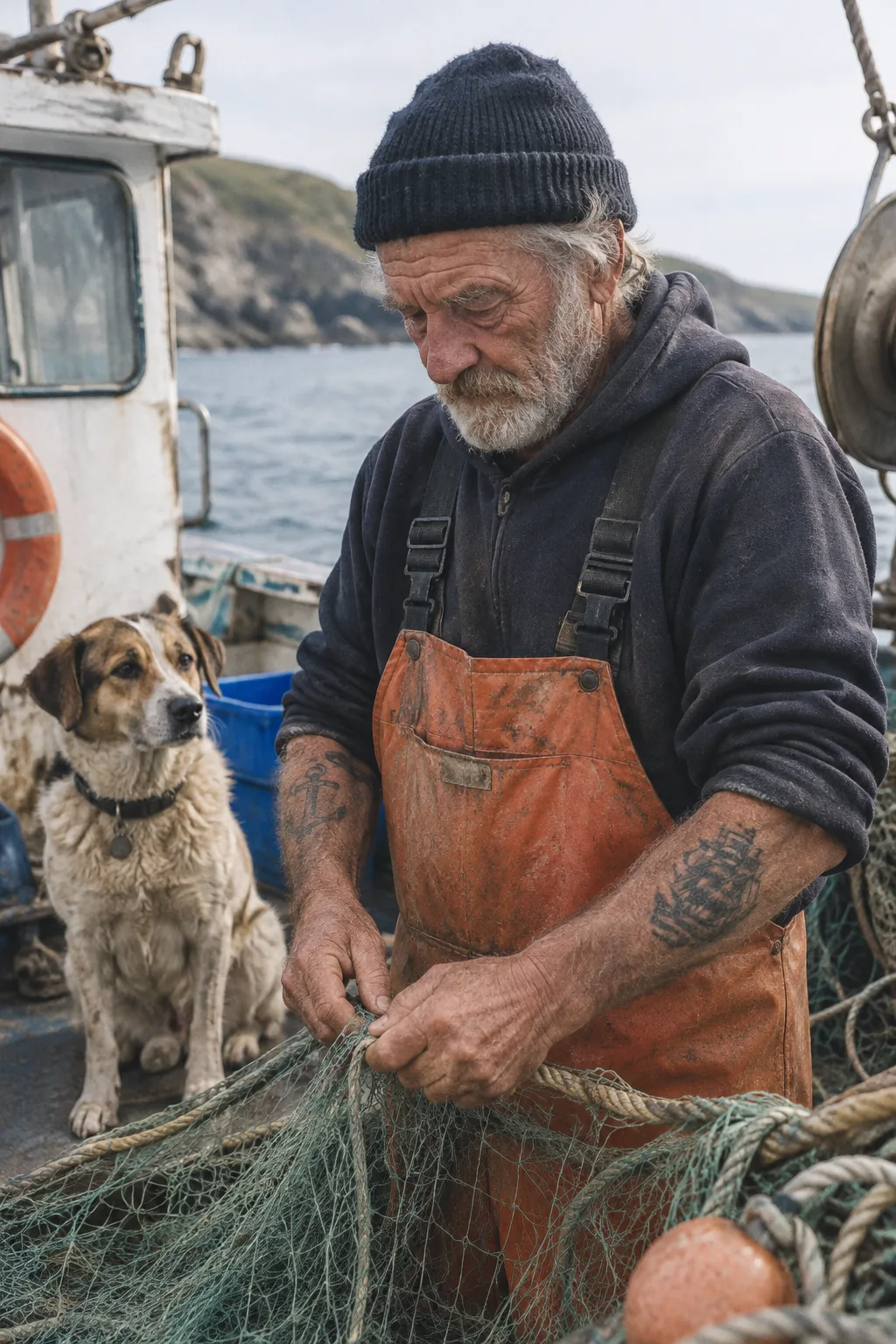
| Flare photorealism | Sunburst photorealism |
|---|---|
 |
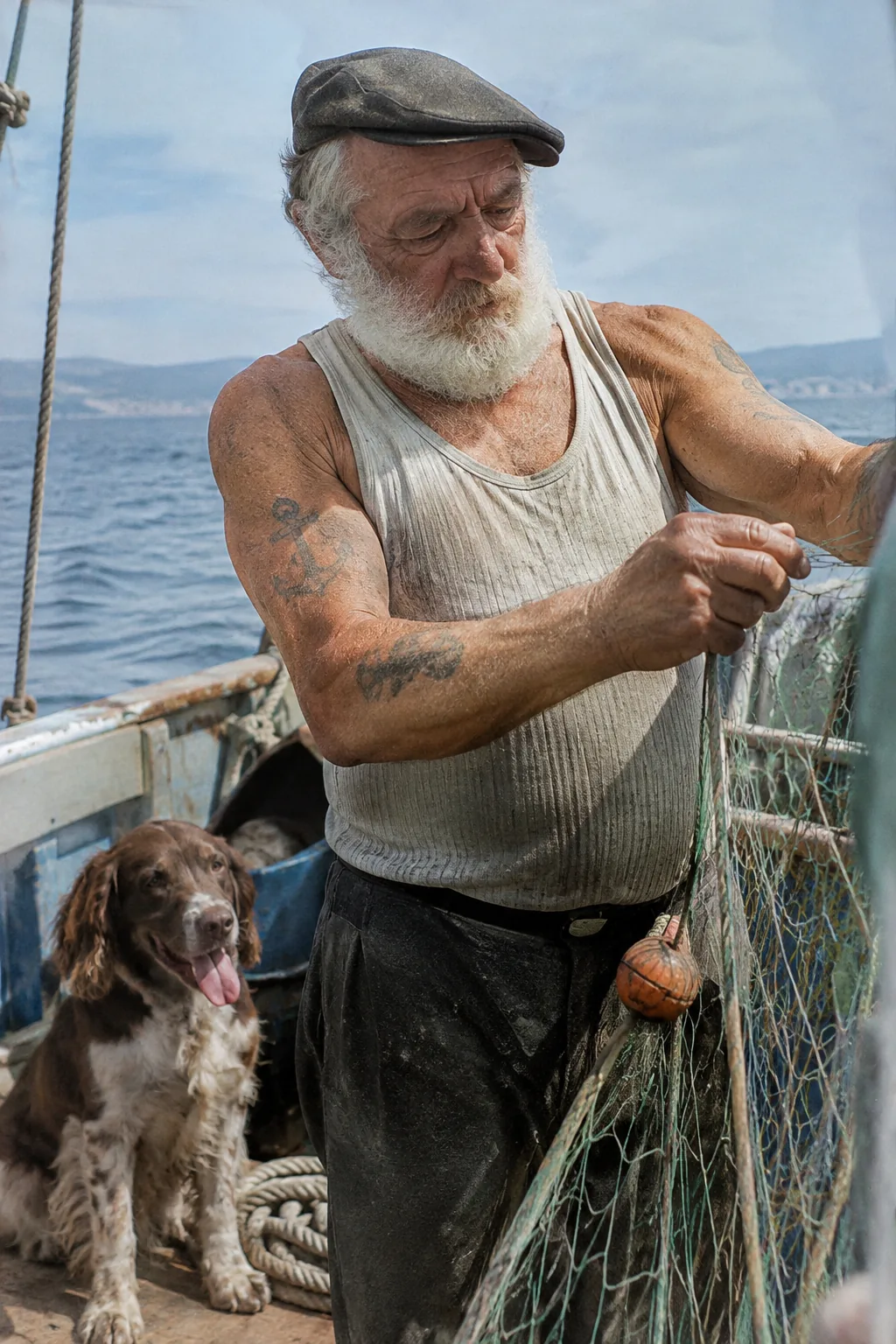 |
Community quotes from the official announcement:
“GIFs are the native language of social media, and GPT‑Image‑2.6 lets every OpenArt creator speak it fluently from a single prompt.” — Coco Mao, OpenArt CEO & Co-founder
“GPT‑Image‑2.6 brings speed and creative control together… We’re excited to add it to Figma Weave…” — Itay Schiff, Figma Weave Creative Director
Compared with GPT Image 2 and 2.5
| Feature | GPT Image 2 | GPT Image 2.5 | GPT Image 2.6 |
|---|---|---|---|
| Approximate launch | April 2026 | September 2026 | November 4, 2026 |
| Current status | Second-generation baseline | Production Flare/Sunburst generation | Official GA: Flare + Sunburst |
| Standard mask editing | Supported | Supported | Supported |
| Transparent markup overlays | Not supported | Gradually emerging | Formally strengthened / broadly available |
| Combining mask and markup | N/A | Prohibited | Prohibited |
| GIF output | — | — | Supported |
| SVG output | — | — | Supported |
complexity |
— | — | low / medium / high |
| Speed | Baseline | Reduced latency | Around 50% faster again; Flare can take ~6s at low quality |
| How to use it | Creative tools / ChatGPT | Same | ChatGPT / Codex; select the model in Studio |
Choosing a variant: for deadlines or repeated poster/product-image iterations, choose Flare. For detail, layout, or consistent characters/products across rounds, choose Sunburst. Both support generation, editing, and transparent backgrounds.
Availability: use Images 2.6 directly in creative tools
Images 2.6 has officially launched. You can:
- Use the official image capabilities in ChatGPT/Codex, globally and across subscription tiers.
- Select GPT Image 2.6 → Flare or Sunburst in SugarCube Studio, then create or edit using prompts, references, or markup annotations, without configuring keys or writing API code.
| Variant | Suitable for |
|---|---|
| Flare | Fast iteration; posters, product imagery, and layout-first work |
| Sunburst | Higher quality; more consistent characters/products across edits |
Start creating:
→ Try Images 2.6 in SugarCube Studio
What remains to be seen / known limitations
Official and public explanations identify the following limitations:
- Complex prompts can be slower: individual complex requests can take around two minutes.
- Typography remains imperfect: dense text or complex layouts may still contain flaws.
- Character/brand consistency: identity can drift across editing rounds; use compositing when pixel-level consistency matters.
- Layout precision: inspect complex infographics and strict alignment requirements.
- GIF/SVG boundaries: vector and animation formats are more suitable for initial generation; local editing remains primarily raster-based.
- Markup constraints: overlays must match dimensions and include alpha; choose markup or a mask.
- Safety and provenance: outputs carry C2PA and SynthID; see the system card.
Do not directly equate unverified third-party evaluation canary names with 2.6. Use official product names and announcements.
Frequently asked questions
What is GPT Image 2.6 / ChatGPT Images 2.6?
OpenAI's new generation of image generation and editing capabilities, released November 4, 2026. Its user-facing name is ChatGPT Images 2.6; creative tools commonly offer Flare and Sunburst variants.
Is it available now? Where can I use it?
Yes. It has launched in ChatGPT/Codex, and you can choose Images 2.6 in SugarCube Studio to create directly without integrating the underlying API yourself.
Should I choose Flare or Sunburst?
Choose Flare for speed and rapid iteration, with generation as fast as six seconds at low quality and improved poster/product layouts. Choose Sunburst for higher quality and consistency across rounds. Switch between them in the Studio model list.
What is markup-guided editing?
Draw circles, arrows, color blocks, or sketches on a transparent PNG overlay, then describe the intended edit in text. The model uses the annotation positions to guide changes. This is more intuitive than describing coordinates in words, and differs from a mask that only identifies an area—choose one or the other in a single edit.
Can markup and a mask be used together?
No. They are mutually exclusive within the same editing request.
How do I make a GIF or SVG?
Choose GIF, with adjustable frame count and duration, or SVG, suitable for logos/icons, from the supported output formats. Select your format and variant in Studio, then generate.
What is the difference between complexity and quality?
quality controls visual detail and fidelity; complexity controls planning depth before rendering. They are adjusted separately. Lower complexity often suits quick local edits; increase it for complex compositions.
Is it expensive? Is it open source?
Images 2.6 is an OpenAI-hosted, closed-source model with no self-hostable weights. In SugarCube, use Studio's usage/credit billing. For official per-token rates, consult the OpenAI model pages; everyday use does not require managing token bills yourself.
Sources
- Introducing Images 2.6 | OpenAI (November 4, 2026)
- Image generation guide
- Image prompting guide
- ChatGPT Images 2.6 System Card
- SugarCube Studio
- Structural reference, a prerelease specification article whose status is outdated: What Is GPT Image 2.6? — Kie.ai (October 29, 2026)
The example images, GIF, and SVGs in this article come from OpenAI's official Images 2.6 demos. Select the same generation of models in Studio to reproduce similar workflows.
Crear
Explore ChatGPT Images 2.6: Flare and Sunburst, GIF animation, transparent markup edits, SVG exports, complexity controls, specifications, and practical workflows.
Crear imágenes en SugarCubeGuías prácticas, ideas creativas y perspectivas para crear imágenes y vídeos con IA.
También te puede interesar
Algunas ideas más para tu próximo proyecto.
Plan 6 AI Product Photos That Work as a Campaign
Plan six AI product photos with distinct jobs: hero, material, scale, context, detail, and closing. Learn what a four-package art-direction example can show.
An AI Image and Video Quality Checklist Before Publishing
Review AI images and video before publishing. Check composition, product accuracy, text, motion, and exports, with a real poster constraint counterexample.
Welcome to the SugarCube Journal
Explore practical guides to AI image prompts, moodboards, storyboards, product photos, video workflows, and reviewing visuals before publishing.