
En esta página
Este artículo está disponible en inglés. Idioma de la interfaz: Español.
A useful AI image prompt describes the subject, composition, light, materials, and intended use. Start with the decisions that matter most, then revise the part that misses the brief. More adjectives do not necessarily make a more useful instruction.
The three examples here come from SugarCube’s curated prompt libraries: a wireless headphone ad, a stone-surface product composition, and a brand moodboard. They are separate community examples, not a controlled comparison or work generated by our editorial team. The cover is an editorial illustration, not one of these results.
Start with the image’s job
Finish this sentence before writing: “This image will appear in ___ and needs to communicate ___.” A headphone ad must make the product readable and leave space for exact copy. A moodboard instead needs to organize several visual decisions into a coherent direction.
Choose three essential requirements. For the headphone ad, they could be a recognizable silhouette, an uncluttered gradient, and deliberate headline placement. Name those requirements before decorative details. Select the target aspect ratio in the tool when available, and describe subject placement too: a ratio setting does not make a layout decision for you.
Copy this five-part template
Subject: [object, person, or scene] with [essential details].
Composition: [viewpoint and crop], subject at [position], with [text space].
Lighting: [source, direction, and softness].
Materials and color: [surfaces], [dominant colors], [small accents].
Intent: [where the image will appear and what it should communicate].
The labels are a checklist. You can remove them when combining the sentences. Avoid conflicting instructions such as a tightly cropped product that must also be fully visible with generous space around it.
Example 1: Read the headphone ad as a brief
Find Sleek Minimalist Wireless Headphone Ad in the Seedream 4.5 library. The snapshot credits Jared Liu. The YouMind OpenLab source snapshot preserves its provenance. Its supplied prompt reads:
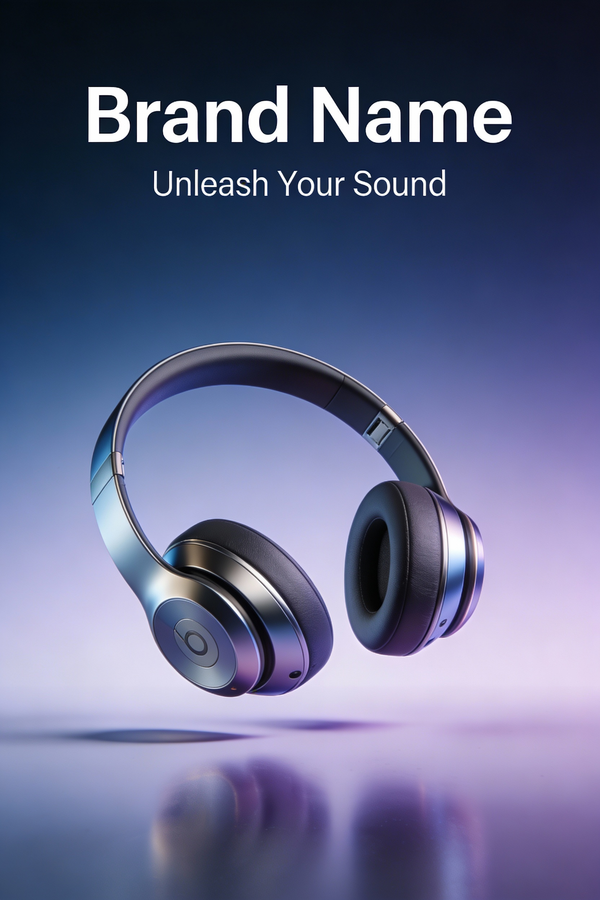
A sleek and minimalist poster advertisement for a new high-tech wireless headphone. The poster features a stunning, high-resolution 3D render of the headphone, seemingly floating in a zero-gravity environment. The background is a simple, clean gradient. The only text is the brand name and the product slogan: “Unleash Your Sound.” The design is modern, sophisticated, and focuses entirely on the product’s beauty. –ar 2:3
The subject is a headphone, the composition is floating, the background is a gradient, and the use is a poster advertisement. The supplied result has blue-purple tones and the visible words Brand Name and Unleash Your Sound. “Brand Name” is an unresolved placeholder, so the image is not a finished brand advertisement. The prompt leaves lighting and specific product construction relatively open; inspect those rather than assuming “high resolution” establishes accuracy.
If you need exact branding, reserve the text zone and typeset approved copy separately. A rendering without an approved input photo does not establish faithful reproduction of a real headphone.
Example 2: Separate art direction from product identity
Minimalist Product Photography on Stone, in the Nano Banana Pro library, describes natural light, stone, soft greenery, and beige tones. The source entry on YouMind identifies the original example.
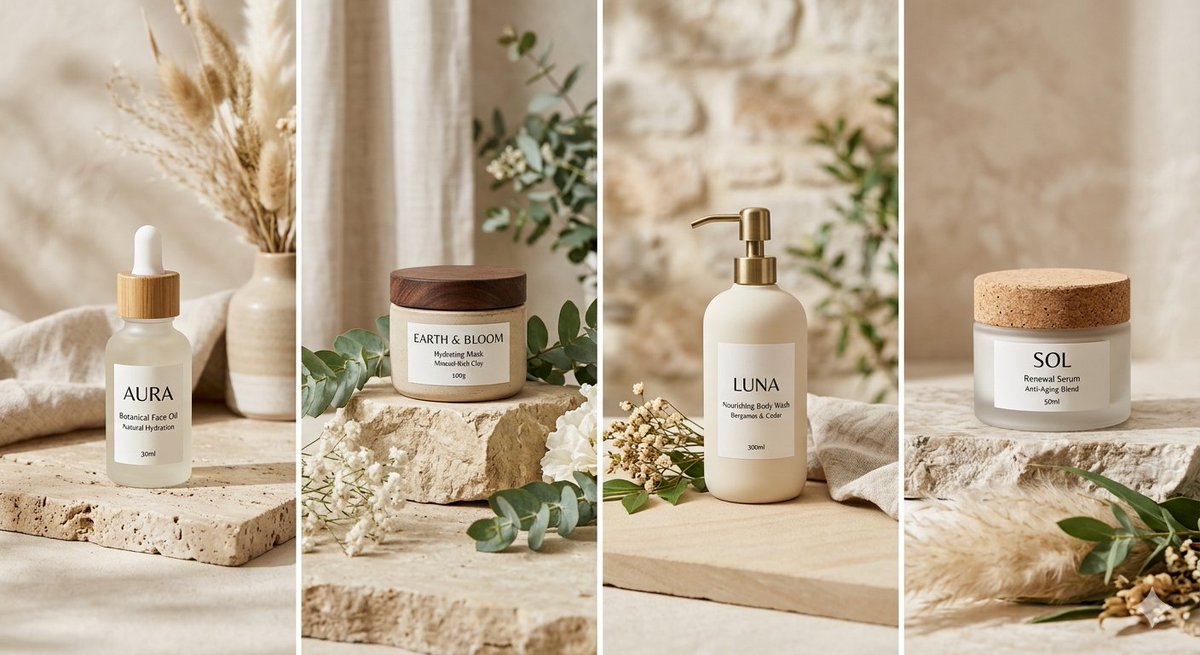
Its result is a four-column arrangement of different beauty and wellness packages, including bottles and a jar. AURA, LUNA, and SOL appear as example branding. Use it to study shared surfaces, palette, and light across a collection. It is not four angles of the same SKU. For a real listing, bring approved product references and check labels, shape, and dimensions; a style prompt cannot verify those facts. The product campaign guide separates that accuracy check from atmosphere.
Example 3: Turn the moodboard into specific decisions
Designer-Grade Brand Moodboard Generation Prompt, in the same Nano Banana Pro library, asks for a balanced grid, tactile textures, editorial photography, a muted palette, and typography. See its source entry.
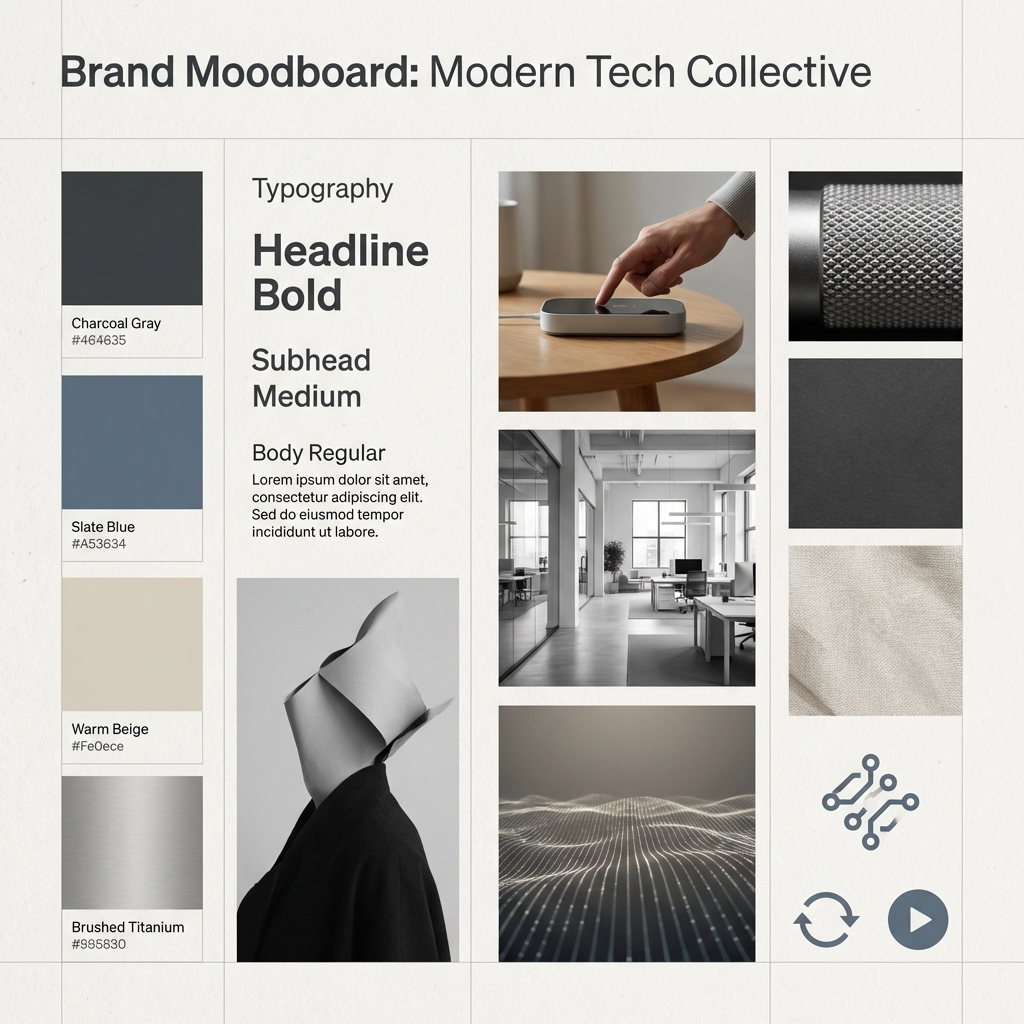
Those are useful composition and material instructions. Before adapting them, specify which project the board serves and what each reference contributes. The supplied board includes Lorem ipsum; those words are layout placeholders, not approved copy. Follow the six-slot moodboard exercise to turn a collection into a brief.
Revise one visible decision
- Subject blends into the background: separate their tones or simplify the background.
- Crop feels cramped: widen the view and check the selected output ratio.
- Surface looks wrong: name the intended finish and compare with a reference.
- Text is inaccurate: replace placeholders in a layout tool and proofread the export.
- Series drifts: reuse the stable light, material, and palette note while changing the current frame.
Save the prompt, model label, references, and exposed settings, then write one observation about the result. These examples do not provide a verified weak-prompt versus improved-prompt pair; make that comparison only after recording your own runs.
Try the template with your own subject
Open the AI image workspace and replace the subject and three essential requirements. Review one image at the intended viewing size before expanding the series.
Source note: the linked YouMind OpenLab libraries preserve the original prompts and provenance. The planning exercises and review observations here are editorial analysis, not generation tests.
Crear
Write clearer AI image prompts with a five-part template, three library examples, and practical checks for composition, materials, and placeholder text.
Crear imágenes en SugarCubeGuías prácticas, ideas creativas y perspectivas para crear imágenes y vídeos con IA.
También te puede interesar
Algunas ideas más para tu próximo proyecto.
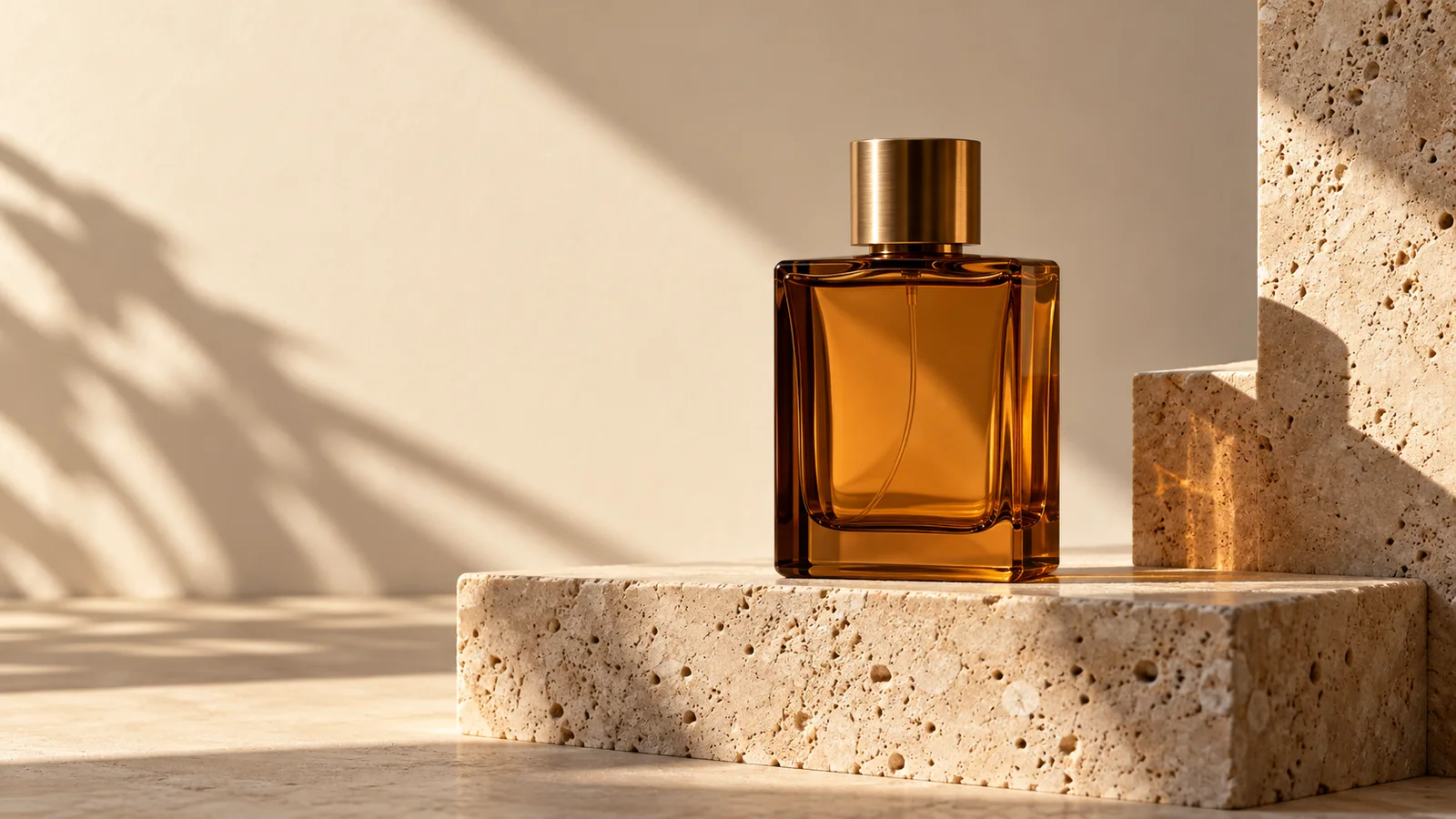
Plan 6 AI Product Photos That Work as a Campaign
Plan six AI product photos with distinct jobs: hero, material, scale, context, detail, and closing. Learn what a four-package art-direction example can show.
An AI Image and Video Quality Checklist Before Publishing
Review AI images and video before publishing. Check composition, product accuracy, text, motion, and exports, with a real poster constraint counterexample.
Welcome to the SugarCube Journal
Explore practical guides to AI image prompts, moodboards, storyboards, product photos, video workflows, and reviewing visuals before publishing.