
В этой статье
Эта статья доступна на английском языке. Язык интерфейса: Русский.
A Halloween coloring page can start with an idea—a friendly ghost beside a pumpkin—or a photo of a pet in costume. The useful comparison is what each tool accepts, how you can guide the design, and how its finished outline reaches the printer.
This guide is written by the SugarCube team. SugarCube is our own product and appears first as our in-house recommendation. We organize the options around family crafts, classroom activities and book-making, using official feature and pricing information. We have not run a competitor generation benchmark for this article and do not assign quality scores, speed awards or an overall winner. Information was checked on October 20, 2026; offers can change.
Choose by the job you want to finish
| Tool | Inputs and useful scenario | Printing route |
|---|---|---|
| SugarCube | Text or images; our visual-style workflow | Image download; browser Save PDF |
| ColorBliss | Text or photos; single pages to activity books | Demo PNG; account-dashboard PDF |
| Colorify AI | Text or photos; explore with trial access | PNG and PDF downloads |
| ColoringBook.ai | Text or photos; multi-page projects | PNG, PDF and book tools |
| Adobe Firefly | Text or photos; continue into worksheets | Image download; Adobe Express PDF |
Credits are different units across services. ColorBliss lists regular photo conversion at 3 credits; premium options cost more. ColoringBook.ai says consumption varies with quality and format. A subscription allowance is not a guaranteed cost per finished page. Sources: ColorBliss pricing, Colorify features and pricing, ColoringBook.ai features and pricing, and Adobe plans.
SugarCube: our in-house pick for choosing a visual direction
SugarCube now supports both text generation and image conversion. Describe an imagined Halloween scene, or start with an image you already have. The image-conversion workflow offers 30 style cards, including Halloween, the simpler Toddler Minimal direction and more detailed patterns. Use the previews to choose an amount of detail you will enjoy coloring.
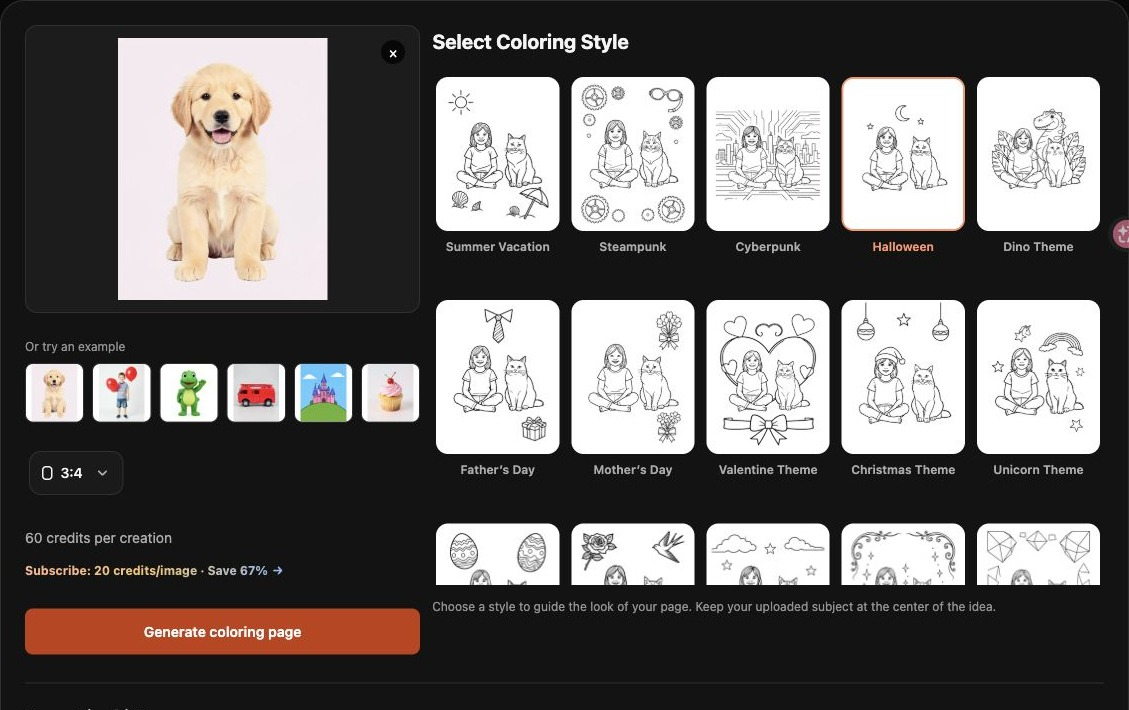
SugarCube’s real image-conversion interface, captured October 20, 2026. The screenshot shows photo input and style selection; it is not a text-generation example.
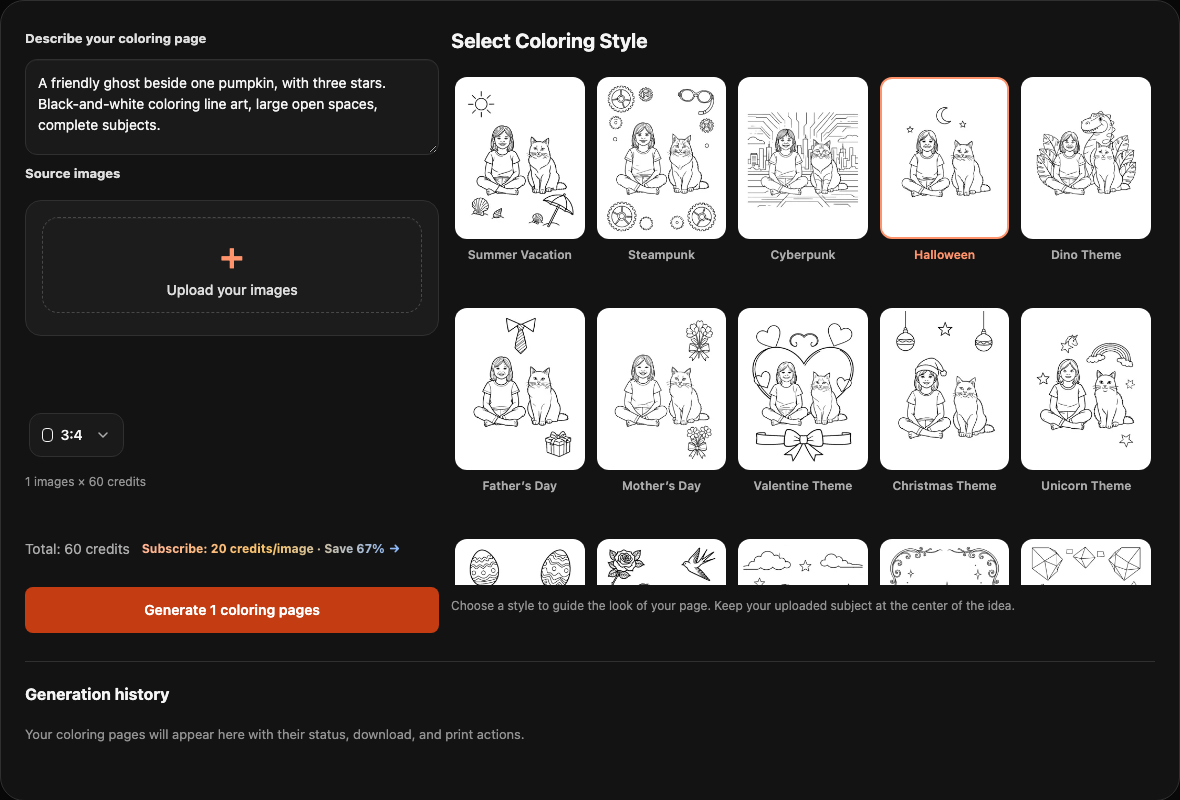
SugarCube’s live prompt interface, captured October 21, 2026. The description is entered and no reference image is attached. This is an input screenshot, not a generated result; no new generation was run for this article.
Image conversion is a useful starting point when you want a familiar pet or costume to remain recognizable. Text generation provides a starting point when you have an idea without a source image. Choose reference images or a text description. For image conversion, you can select up to 30 reference images in a batch; each page is generated in sequence. The model is selected automatically, and the total quote is shown before submission.
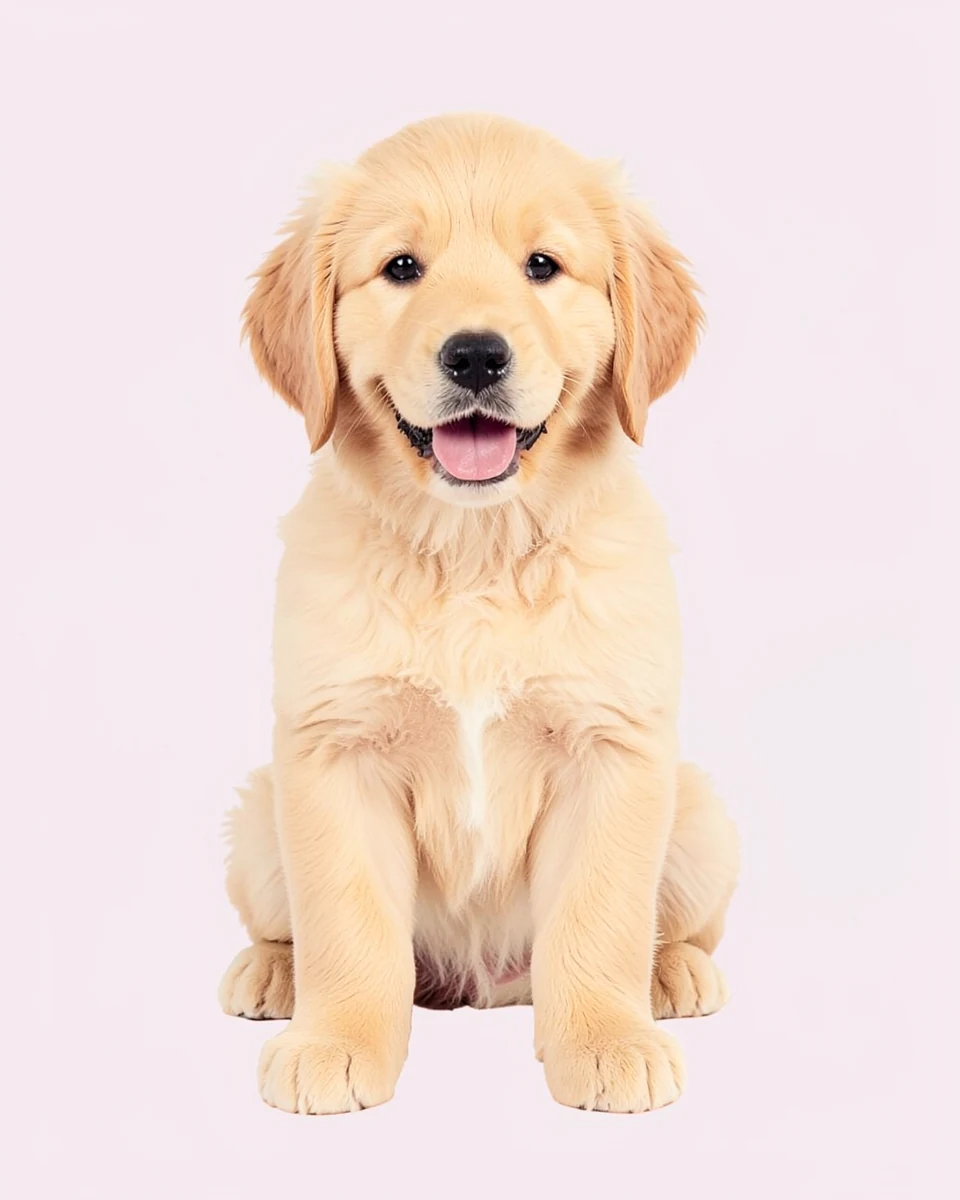
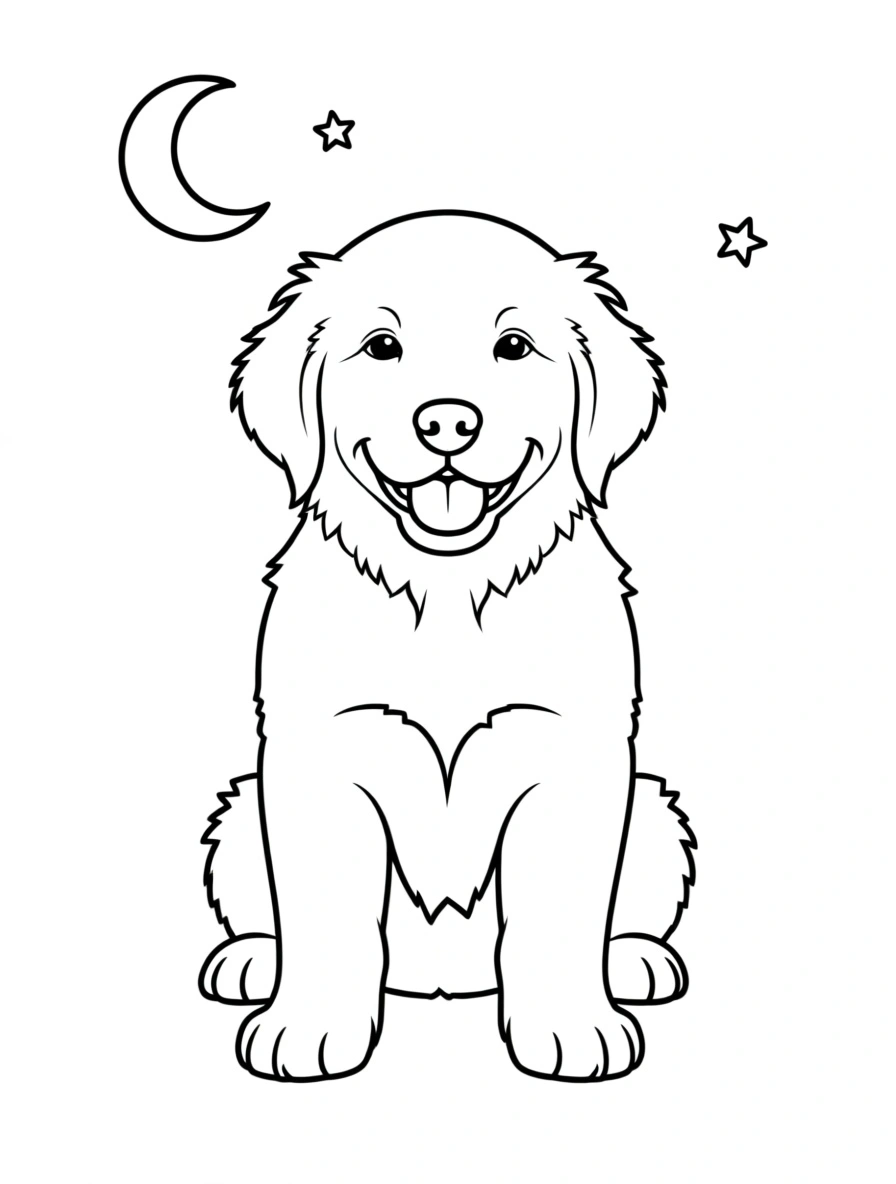
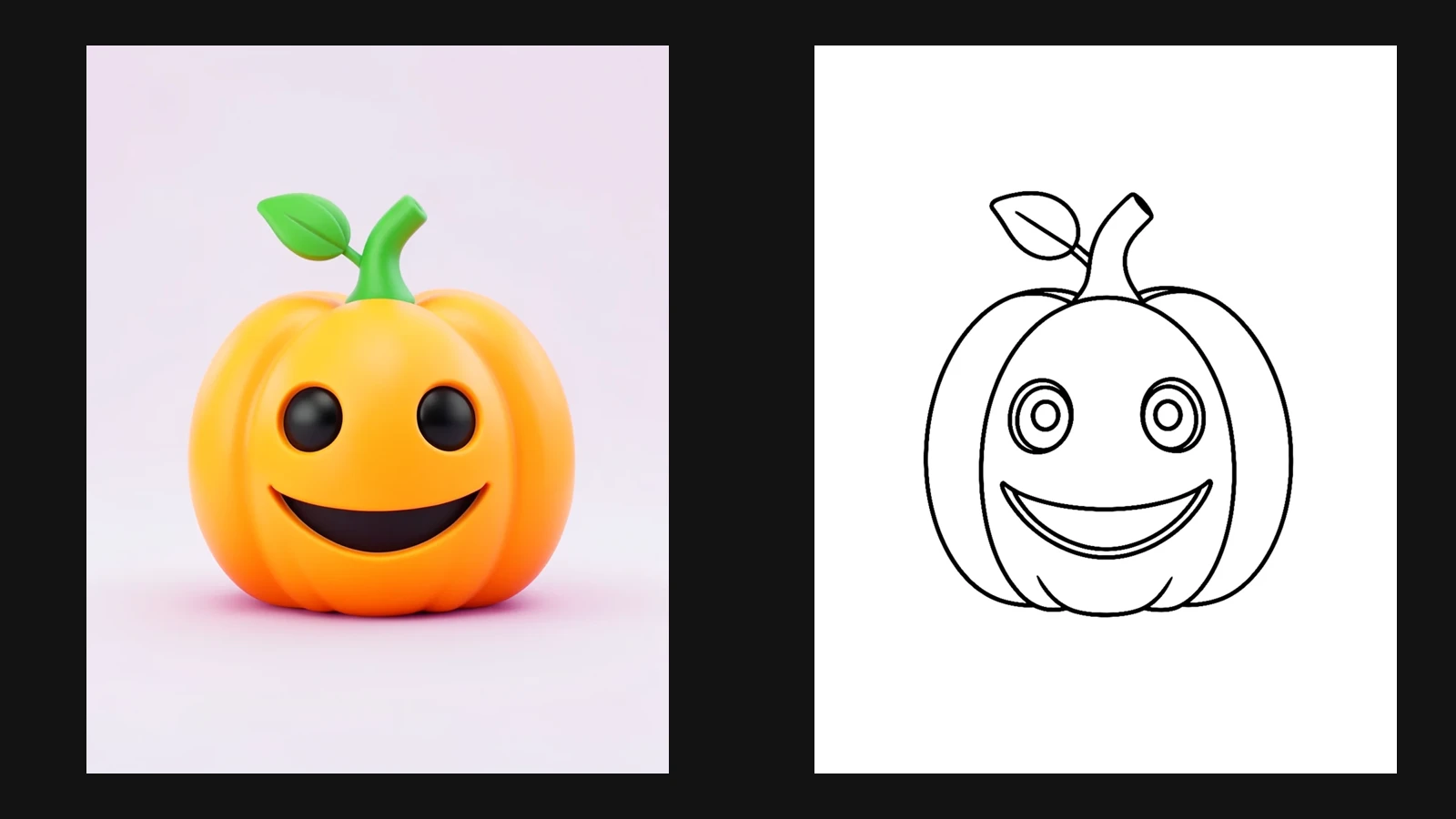
These images show a source and one actual Halloween-style image-conversion result. They demonstrate a single output, rather than a promise that every fine detail is preserved or a comparison with competitors.
Download the image or use the browser’s Print / Save PDF workflow to check the complete page. PDF creation here comes from browser printing. Each page currently costs 60 credits for standard users or 20 for eligible active subscribers in either mode; a batch is charged per page. Eligible new users can receive 100 credits after registration and sign-in, valid for 3 days. See the live quote in the coloring tool and the introductory-credit information in your account.
ColorBliss: a path from single pages to activity books
ColorBliss documents text generation, photo conversion and coloring-book creation. Its public photo demo allows one submission per IP per 24 hours without an account and downloads PNG, while its account tutorial describes PDF downloads from the dashboard. Those documented workflows make it a useful option to consider when you want to begin with one page and later explore book-making. This is a workflow recommendation, not an output-quality score. Photo converter, PDF guide, book generator.
Starter is US$9 month-to-month with 250 monthly credits; its annual equivalent is a different offer. Bulk generation and commercial rights depend on the plan. Plans and eligibility.
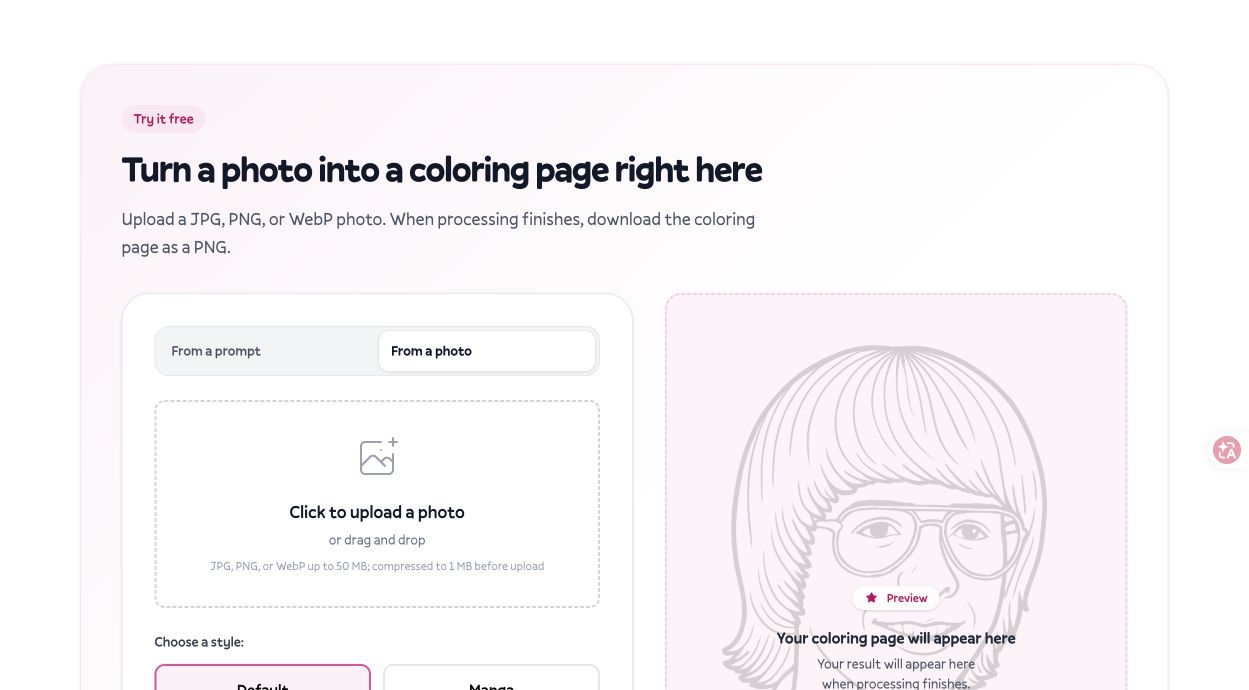
ColorBliss official public interface, captured October 20, 2026. The preview belongs to the site; we did not upload or generate an image. Source
Colorify AI: an option for trying text and photos
Colorify AI has separate text and photo workflows and lists PNG and PDF downloads. Try describing a seasonal scene or uploading a clear pumpkin, toy or costume image, then judge whether the outlines suit your activity. Product features, photo conversion.
Its free-entry messaging sits alongside subscriptions and premium models. The photo converter’s FAQ currently advertises 5 free conversions per day; access and model eligibility should still be checked in the live interface. Basic is listed at US$9.9/month for 250 credits. Do not read “free” as unlimited access to every model and resolution. Official pricing.
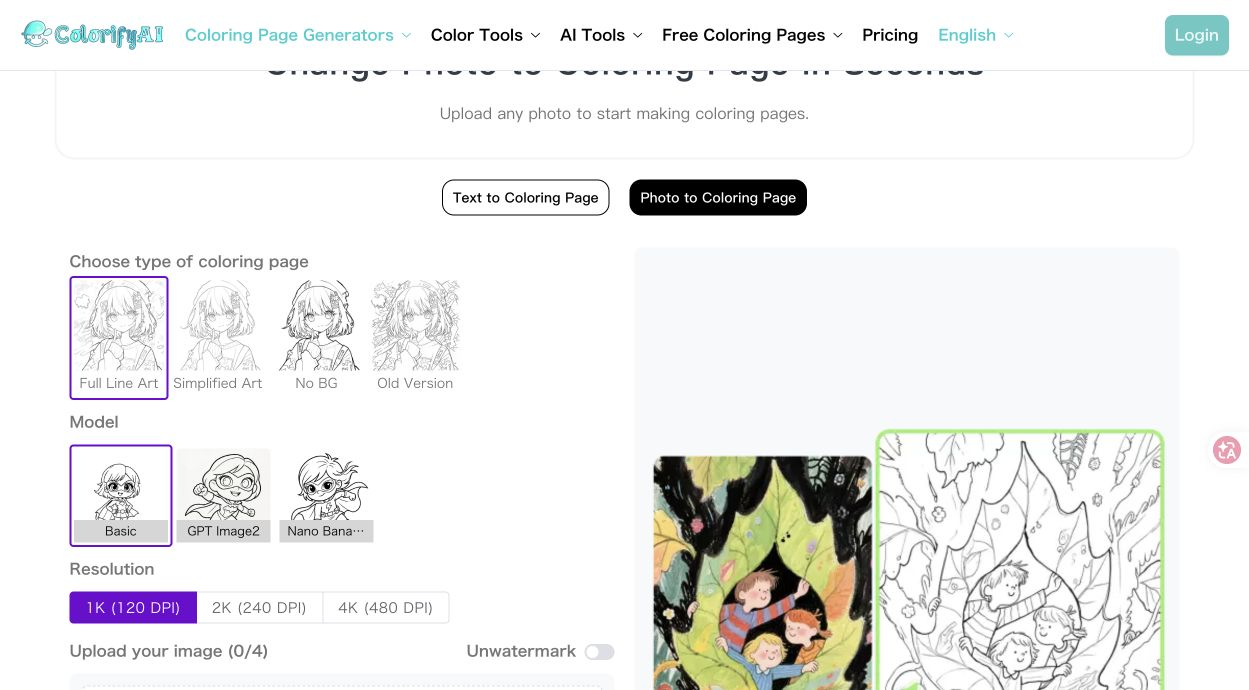
Colorify AI official public interface, captured October 20, 2026. The displayed illustration is the site’s own example, not a result from our test. Source
ColoringBook.ai: an option for multi-page projects
ColoringBook.ai offers text and photo generation with PNG and PDF downloads, alongside a book-making workflow. That makes it relevant when a Halloween idea may grow into a small activity book. Text workflow, photo workflow.
The official site states 4 free monthly credits for new users, with generation costs depending on quality and format. Its Starter page displays US$6.99/month alongside US$83.92/year; the public text does not establish a separate month-to-month checkout price, so we do not treat US$6.99 as a confirmed standalone monthly contract. Check billing period, print quality, watermark and usage rights before choosing a paid tier. Official pricing.
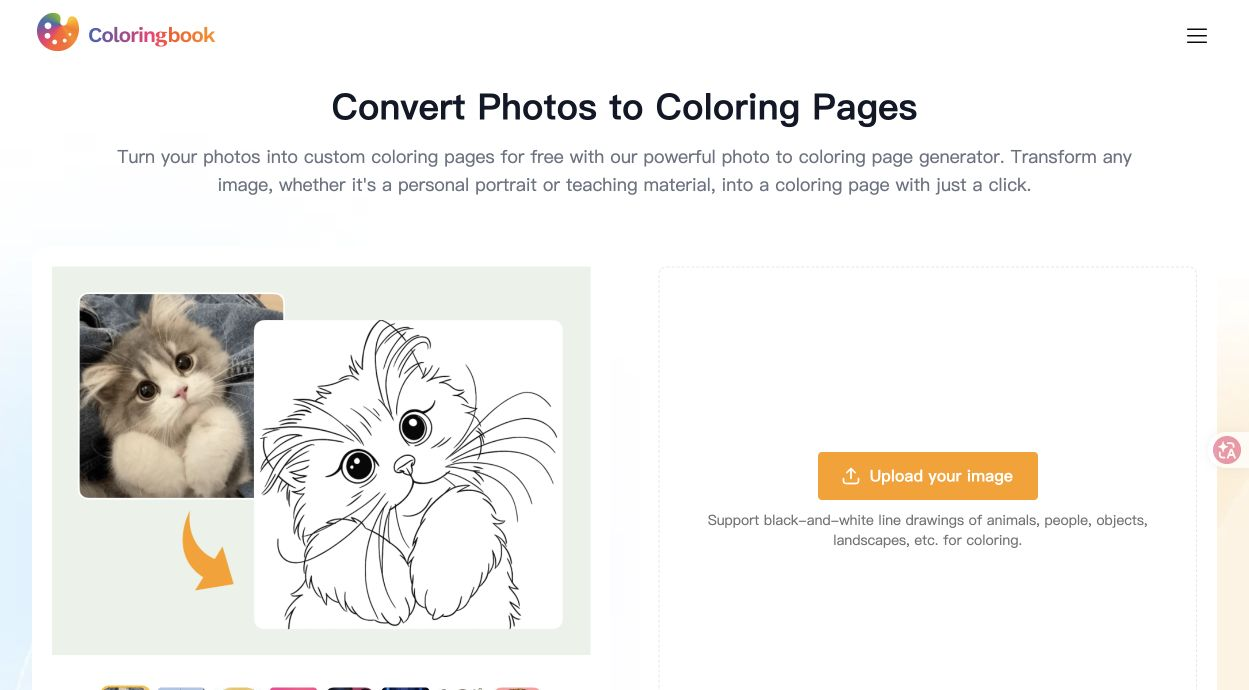
ColoringBook.ai official public interface, captured October 20, 2026. The cat comparison is the site’s own example; no generation was run. Source
Adobe Firefly: useful when layout comes next
Adobe documents both text-to-coloring and image-to-coloring workflows. You can describe line weight and detail, then take the image into Adobe Express to add headings or instructions and export a PDF. That is a useful route when the final job includes a worksheet, cover or multi-page layout. Text coloring guide, photo coloring guide.
A free account has limited daily generations. Firefly Standard is currently listed at US$9.99/month. The PDF workflow involves Express; it should not be described as a one-click PDF export built into Firefly’s single-image generation screen. Check model allowances and app entitlements in the selected plan. Adobe plans.
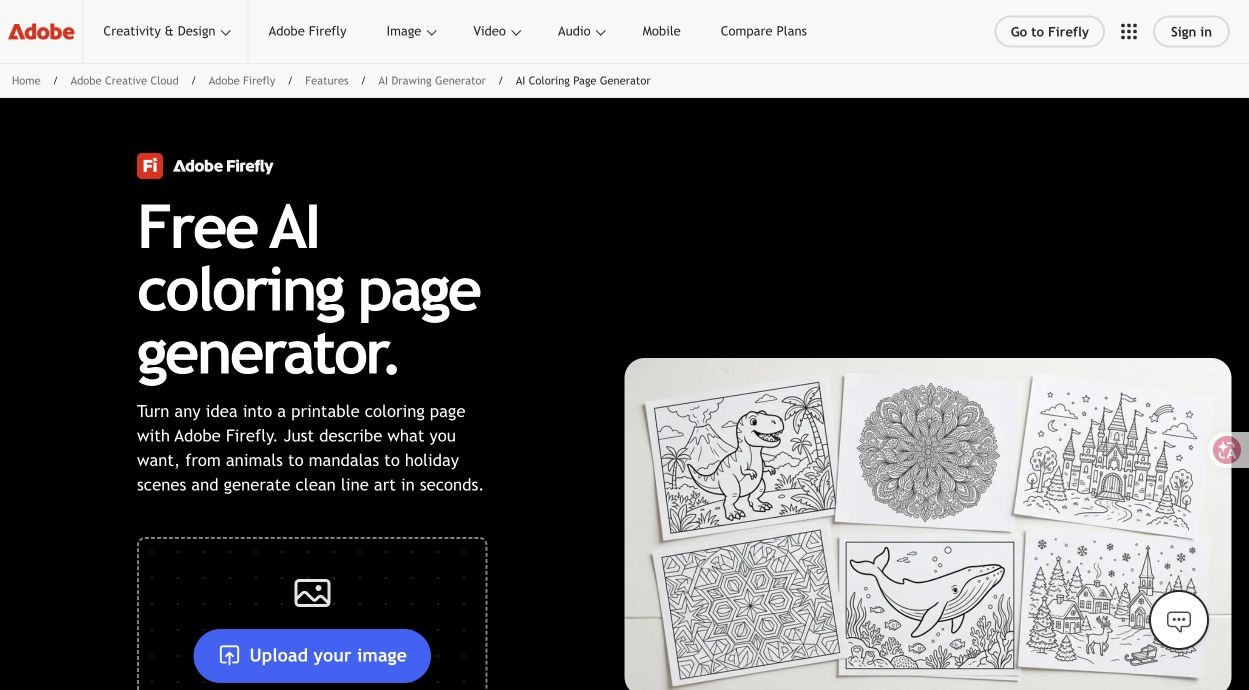
Adobe official feature page, captured October 20, 2026. This shows product documentation, not a signed-in editor or a test output. Source
Keep the task consistent when comparing outputs
For text generation, try the same description in each tool:
A friendly ghost sitting beside one pumpkin, with three stars nearby. Black-and-white coloring line art, clear closed outlines, large open areas, no gray shading, no text, and the complete subject inside the frame.
For image conversion, use the same source image that you have permission to upload. Check subject completeness, recognizable features, usable coloring spaces and the downloaded full-page preview. Record the tool, mode, ratio, style, date, attempt count and actual cost. One sample describes one attempt, not a tool’s overall quality.
Our recommendations above use documented capabilities. This prompt is a suggested comparison method, not a claim that a five-tool benchmark has already been completed.
Check the whole sheet before printing
Choose A4 or US Letter, match the orientation to the image, use Fit to printable area and turn off browser headers and footers. Check all four edges and make one test print. Saving a PDF does not add image detail or establish print-grade resolution.
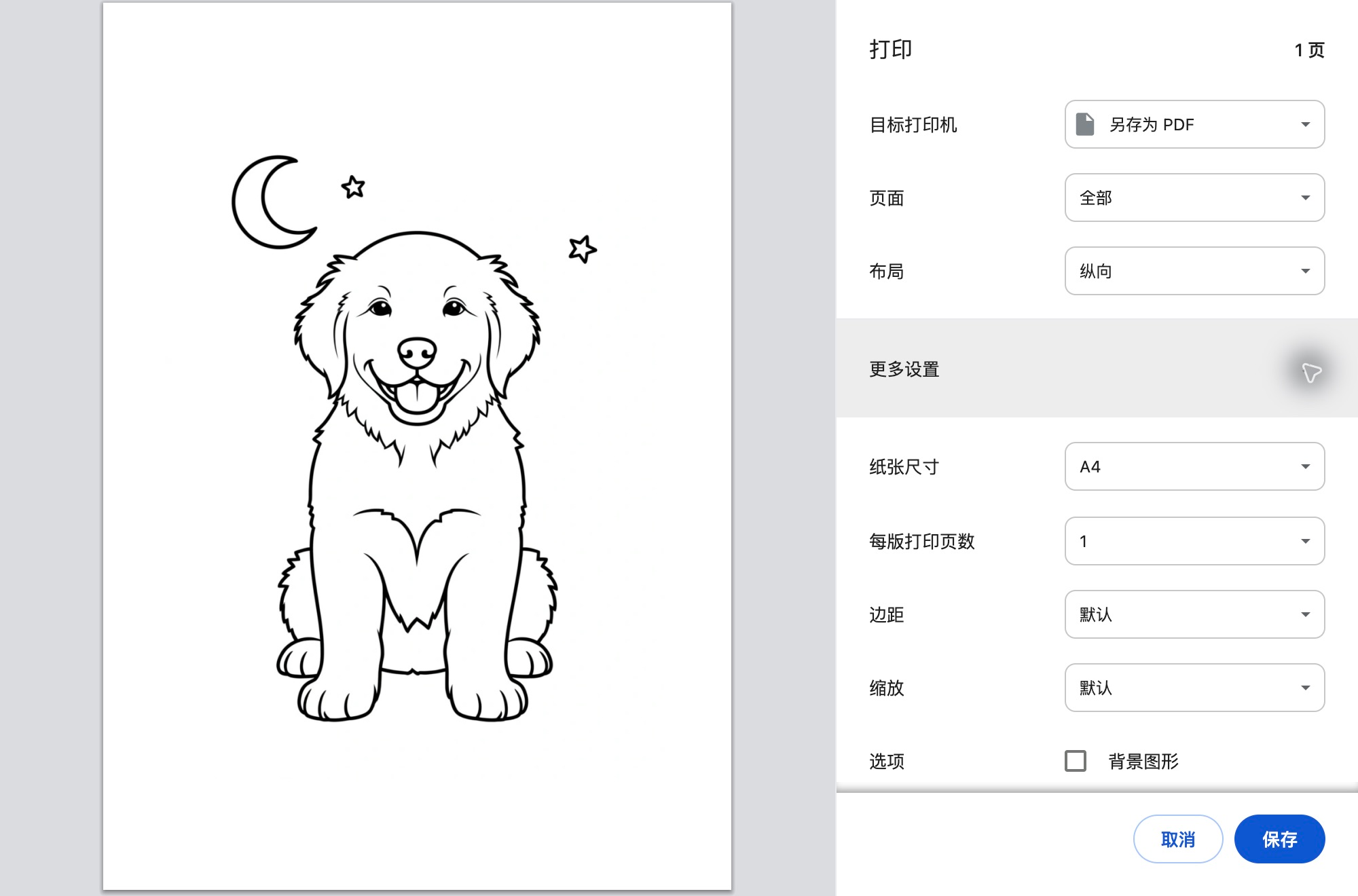
The real Chrome print dialog for the puppy result above. This is a browser screenshot, not a photograph of a paper print.
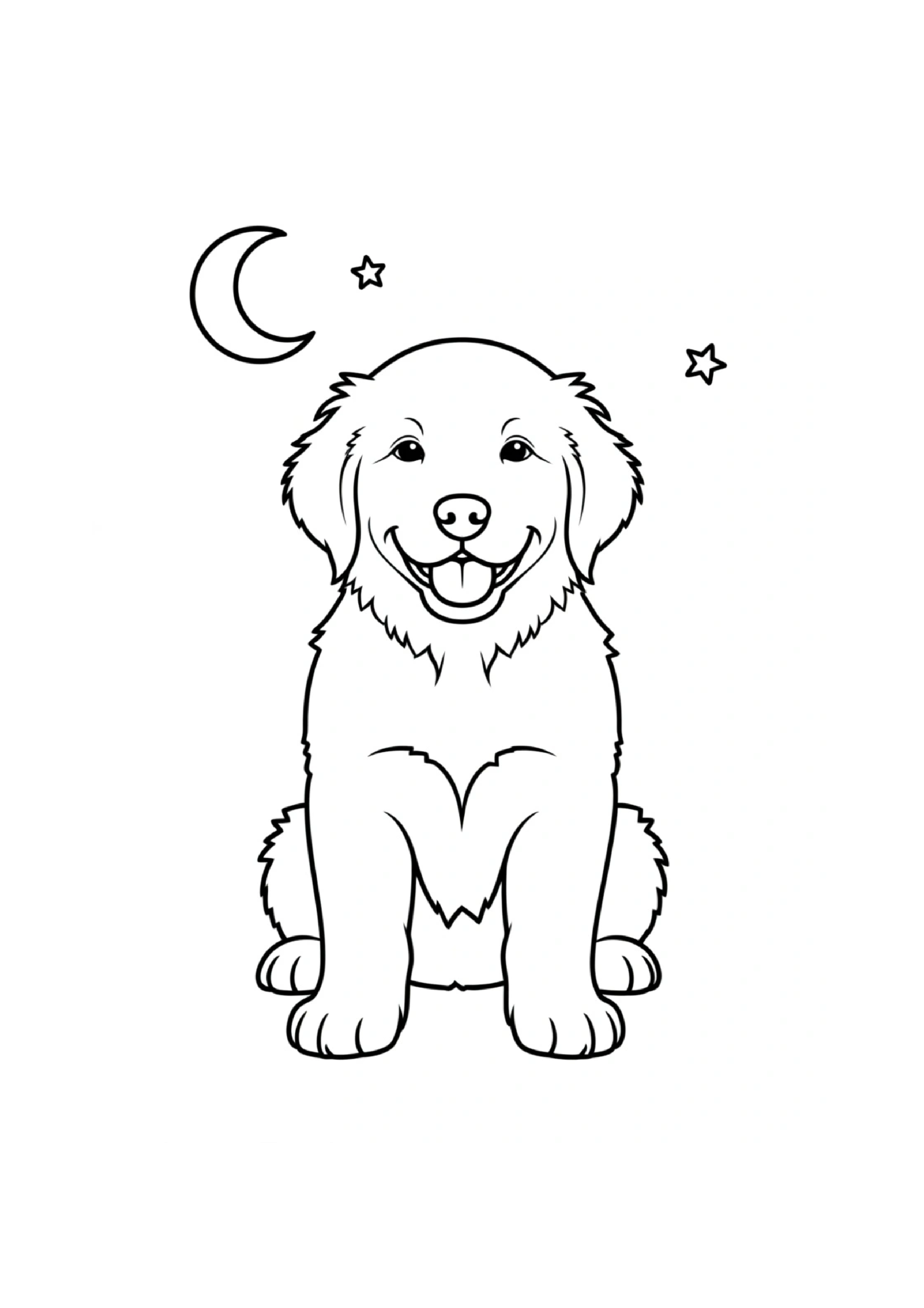
The saved one-page A4 PDF, rendered as an image for this article. In this sample, the 896 × 1184 source occupies approximately 168 × 222 mm, or 135 pixels per inch. Browser PDF export keeps the image; it does not create extra detail.
Start with the input method and complexity that suit your activity, then decide whether you need a book builder or extra layout tools. The SugarCube Halloween coloring tool is one place to prepare a page of your own.
Создать
Compare five tools for Halloween coloring pages: text and photo inputs, printable downloads, PDF workflows, trial access and pricing, with official sources.
Создать раскраскуПрактические руководства, творческие идеи и взгляды на создание изображений и видео с ИИ.
Вам также может понравиться
Ещё несколько идей для вашего следующего проекта.

Plan 6 AI Product Photos That Work as a Campaign
Plan six AI product photos with distinct jobs: hero, material, scale, context, detail, and closing. Learn what a four-package art-direction example can show.

An AI Image and Video Quality Checklist Before Publishing
Review AI images and video before publishing. Check composition, product accuracy, text, motion, and exports, with a real poster constraint counterexample.

Welcome to the SugarCube Journal
Explore practical guides to AI image prompts, moodboards, storyboards, product photos, video workflows, and reviewing visuals before publishing.