
이 글의 목차
이 글은 영어로 제공됩니다. 인터페이스 언어: 한국어.
The SugarCube Journal helps turn an idea into a visual you can use. You will find practical guides to prompts, moodboards, storyboards, product imagery, video, and reviewing a result in its final placement.
Begin with the task in front of you. The articles offer a reusable structure and questions that help decide what to keep. You do not need a complete production plan before making the first useful decision.
Find the right starting point
My prompts feel vague
Read How to Write AI Image Prompts: A Template and 3 Examples. Define the image’s job, then organize subject, composition, light, material, and intent. The guide reads real headphone, product, and moodboard templates without pretending they form a controlled comparison.
I need a visual direction
Use How to Make an AI Moodboard That Becomes a Creative Brief. Give each reference a role, establish a palette hierarchy, and test one direction with a real headline. It uses an existing technology-brand board while identifying placeholder text.
My images do not form a sequence
Try How to Plan a Consistent AI Storyboard in 8 Panels. A lemon-drink example shows how a product introduction, details, action, ingredients, and a packshot can perform different jobs. It is a single storyboard image, not an independent multi-run consistency test.
I need useful product views
Read Plan 6 AI Product Photos That Work as a Campaign. Plan hero, material, scale, context, detail, and closing views. The stone-surface source example shows four different packages; the tutorial does not claim those are the same product photographed six ways.
I want to animate a still
Follow How to Turn a Still Image Into a Cinematic AI Video. Brief one action, keep a stable anchor, and review the whole shot. The jewelry-video reading example has no established starting image or settings, so the article distinguishes analysis from reproduction.
I am unsure whether to start with image or motion
Use AI Image or Video First? Choose a Workflow for Your Project. Choose a first test around the most important uncertainty, and give it a clear pass condition before expanding.
I have a version I like; is it ready?
Run An AI Image and Video Quality Checklist Before Publishing. Check message, relationships, exact text, motion, and export. A real poster counterexample shows why an attractive image can still violate a flat-output requirement.
Explore four kinds of articles
Guides & tutorials offer steps, briefs, and checks for a creative task.
Inspiration turns references, color, materials, and image roles into a practical direction.
Perspectives help decide what to test, what to keep stable, and how to judge a useful result.
Product notes explain SugarCube and the journal’s collections. This article is your starting map.
These names match the journal’s filters and category badges. Choose a category on the journal index or search for the task you need.
Read templates with their sources
The curated libraries let you examine a named example, read the available prompt, and inspect its source. For a focused starting set, find Designer-Grade Brand Moodboard Generation Prompt and Minimalist Product Photography on Stone in the Nano Banana Pro library, or Cinematic Luxury Jewelry Commercial in the Seedance 2.0 library.
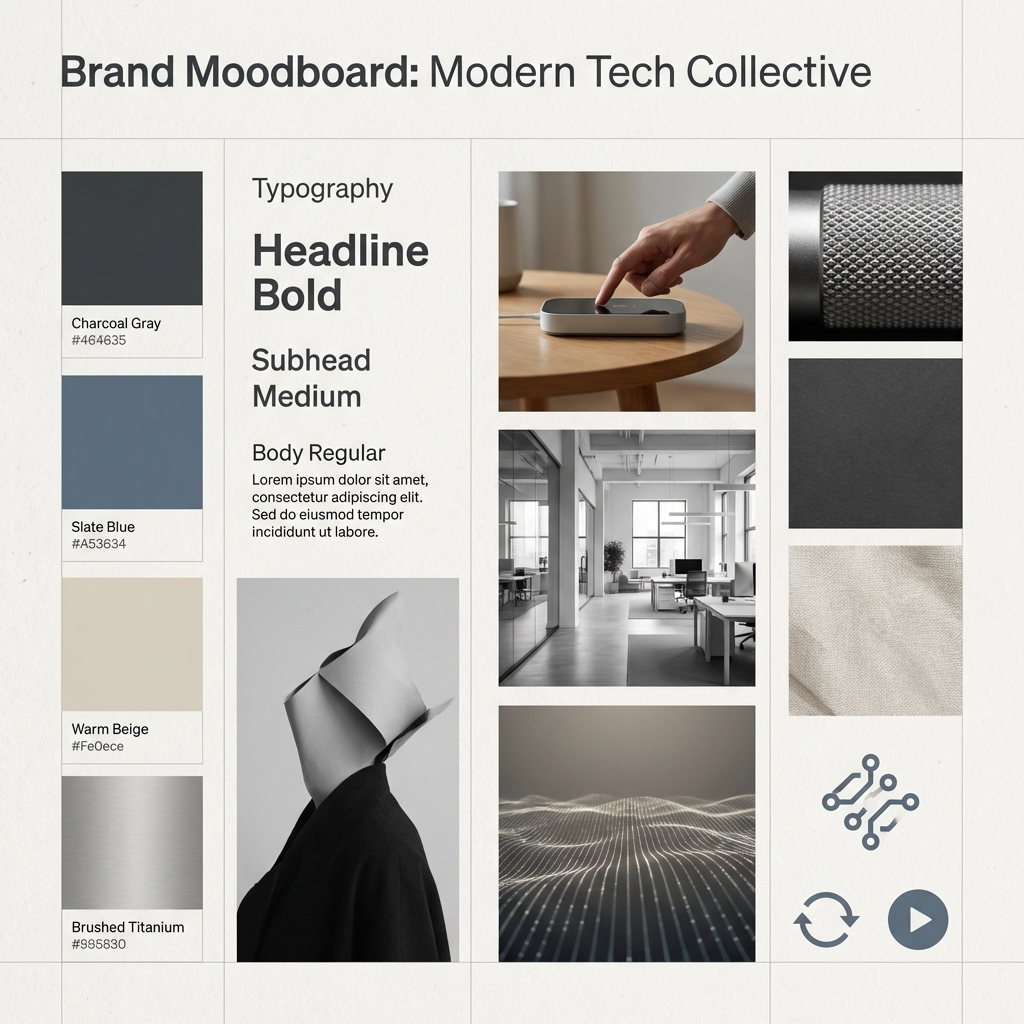
These community examples are collected by YouMind OpenLab. The guides retain source links and distinguish source prompts from editorial adaptations. Editorial covers are illustrations, not evidence of the tutorial outputs.
A library model label records the example’s context, not a guarantee that the same model or settings are currently available. Before using a template, inspect the destination tool, replace placeholders, and supply your own authorized references where needed. Copying a prompt or opening a workspace is preparation; review the actual inputs and controls before you submit generation.
Keep a small project record
Save the prompt, input references, actual model and settings, selected output, intended crop, source permissions, and one sentence explaining your choice. A practice brief is a starting instruction. A tested result needs a record of what was actually run. Neither one example nor an attractive output establishes model superiority, speed, or cost savings.
For a sequence, bring a story sentence to the AI Storyboard Generator. For a product campaign, bring an approved reference to the AI Product Photo Generator.
Ready for one useful image? Open the AI image workspace, start with a named task, and return to the journal index when the next decision needs a different guide.
만들기
Explore practical guides to AI image prompts, moodboards, storyboards, product photos, video workflows, and reviewing visuals before publishing.
SugarCube에서 이미지 만들기AI 이미지와 동영상 제작을 위한 실용적인 가이드, 창작 아이디어와 관점을 공유합니다.
이런 글도 읽어 보세요
다음 프로젝트를 위한 또 다른 아이디어를 만나보세요.

How to Plan a Consistent AI Storyboard in 8 Panels
Plan an AI storyboard with an eight-panel lemon-drink example, a visual bible, shot roles, and continuity checks. Separate a storyboard image from a video.

Plan 6 AI Product Photos That Work as a Campaign
Plan six AI product photos with distinct jobs: hero, material, scale, context, detail, and closing. Learn what a four-package art-direction example can show.
An AI Image and Video Quality Checklist Before Publishing
Review AI images and video before publishing. Check composition, product accuracy, text, motion, and exports, with a real poster constraint counterexample.