
Sur cette page
Cet article est disponible en anglais. Langue de l’interface : Français.
Start with an image when the project depends on appearance: product shape, a specific composition, or a visual direction. Test video early when the idea depends on movement, timing, or a reveal. If both matter, define a rough visual direction, test the riskiest motion, and refine after that test.
The right starting point answers the most important unresolved question. The examples below are three separate library tasks: stone-surface product imagery, a lemon-drink storyboard, and a jewelry video. They are not one product, one experiment, or stages of a single documented production.
Decide with three questions
Can the essential requirement be judged in one frame? If the bottle must remain recognizable or a headline needs clear space, begin with a still.
Does the idea only make sense over time? If a reveal, opening action, or transition carries the idea, test motion before polishing all assets.
Must it fit existing material? If the result joins footage or an established layout, make an early timeline or page test. The surrounding material is part of the brief.
| Main uncertainty | First test | Pass condition |
|---|---|---|
| Appearance or layout | One still at the intended crop | Subject, details, and text space work |
| Story progression | A rough shot list or storyboard | Each panel adds information |
| Motion and timing | One simple motion study | Action reads and joins the next shot |
| Style plus motion | Rough reference, then risky movement | Both identity and action survive review |
Workflow A: Image first for appearance
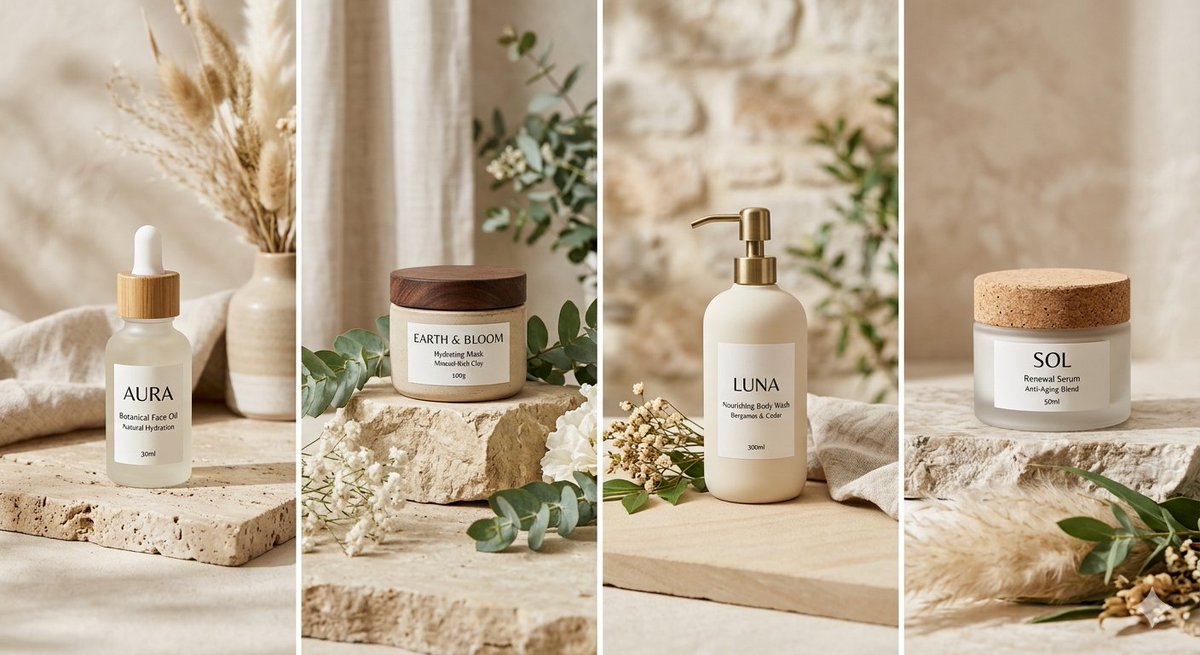
Minimalist Product Photography on Stone in the Nano Banana Pro library shows a coordinated direction across four different packages. See its YouMind source entry. It helps identify palette, stone, greenery, and soft light. It does not establish exact preservation of one SKU.
- Define the required subject and important features.
- Prepare approved references and the intended crop.
- Create one rough still in the AI image workspace.
- Compare it with the requirements and the actual page layout.
- Add motion only if needed, then review identity again.
An approved still does not establish that every video frame will preserve its details. Use the product planning guide for accuracy and coverage before expanding the campaign.
Workflow B: Plan the sequence before motion
Premium Sparkling Lemon Commercial Storyboard, in the Gemini Omni library, is a single eight-panel image. Its source snapshot describes product introduction, detail, action, ingredients, and a closing packshot.
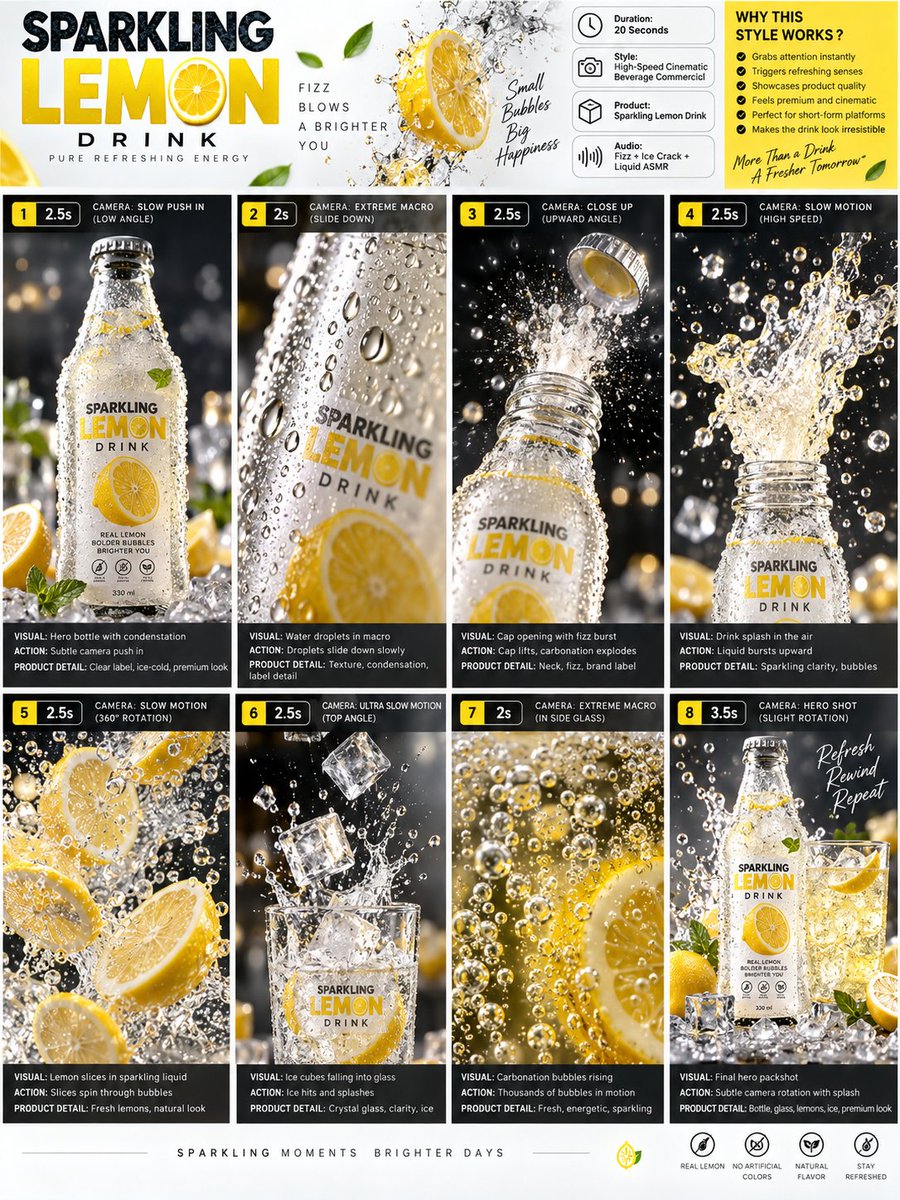
Use this kind of artifact to judge progression. Are there too many similar close-ups? Does the viewer understand the product before the splash? Does the final frame resolve the story? A storyboard can answer those planning questions without proving final motion, frame rate, duration, or audio.
Open the AI Storyboard Generator with a story sentence and shot list. The eight-panel guide shows how to separate stable direction from each panel’s job.
Workflow C: Motion first when timing carries the idea
Cinematic Luxury Jewelry Commercial in the Seedance 2.0 library is an actual video example, with a supplied inspection record of about 30 seconds at 720 × 1280. The source snapshot describes multiple shots. Missing starting images and settings prevent a complete reproduction claim.
For your own first motion study, choose one action rather than recreating the whole ad. Open the video workspace, inspect its modes, and test whether a small move communicates the intended idea. This tool destination is a practice option, not evidence of how the source was made. Follow the image-to-video exercise and put the result into the intended edit immediately.
Use a hybrid when both appearance and action matter
Keep a rough reference and a short style note. Test the uncertain movement, then refine the source image if the action works. A small moodboard can stabilize light and material choices without requiring a fully polished frame before every test.
Write four lines before submitting any generation. This is an editorial planning template:
Deliverable: [where the still, sequence, or clip will appear].
Must stay fixed: [subject details, palette, crop, or exact copy].
Question: [the single uncertainty this attempt should answer].
Pass condition: [what must be visibly true to keep the result].
Record prompt, actual model, inputs, settings, and one decision: keep, revise, or change approach. If individual shots look attractive but do not join, test direction and pacing in the timeline before producing more. If the final crop fails, revise that composition instead of creating more of the same layout.
Start with a named question
Open the AI image workspace when appearance is uncertain; use a motion study when timing is uncertain. Stop expanding when the result meets the brief and works in its destination, then use the publishing checklist.
Source note: the linked YouMind OpenLab libraries preserve the original prompts and provenance. The planning exercises and review observations here are editorial analysis, not generation tests.
Créer
Choose an image-first, motion-first, or hybrid AI workflow using separate product, storyboard, and video examples, with clear pass conditions for each test.
Créer des images avec SugarCubeDes guides pratiques, des idées et des points de vue pour créer des images et des vidéos avec l’IA.
À lire également
Quelques idées de plus pour votre prochain projet.
How to Plan a Consistent AI Storyboard in 8 Panels
Plan an AI storyboard with an eight-panel lemon-drink example, a visual bible, shot roles, and continuity checks. Separate a storyboard image from a video.
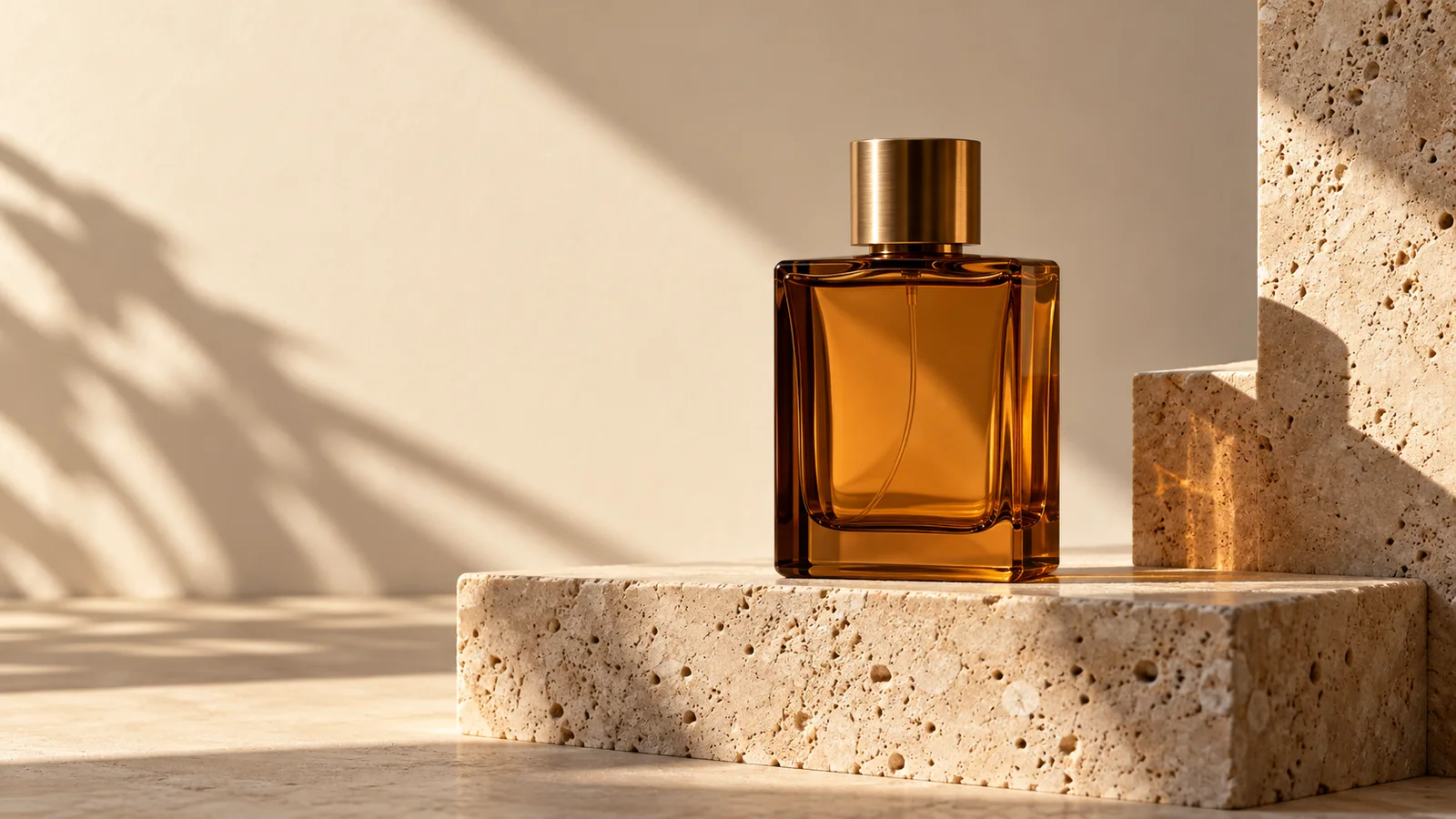
Plan 6 AI Product Photos That Work as a Campaign
Plan six AI product photos with distinct jobs: hero, material, scale, context, detail, and closing. Learn what a four-package art-direction example can show.
Welcome to the SugarCube Journal
Explore practical guides to AI image prompts, moodboards, storyboards, product photos, video workflows, and reviewing visuals before publishing.